Best 5 Vector Graphics AI Tools to Design a Custom Mascot SVG for Your Startup Branding (2026)
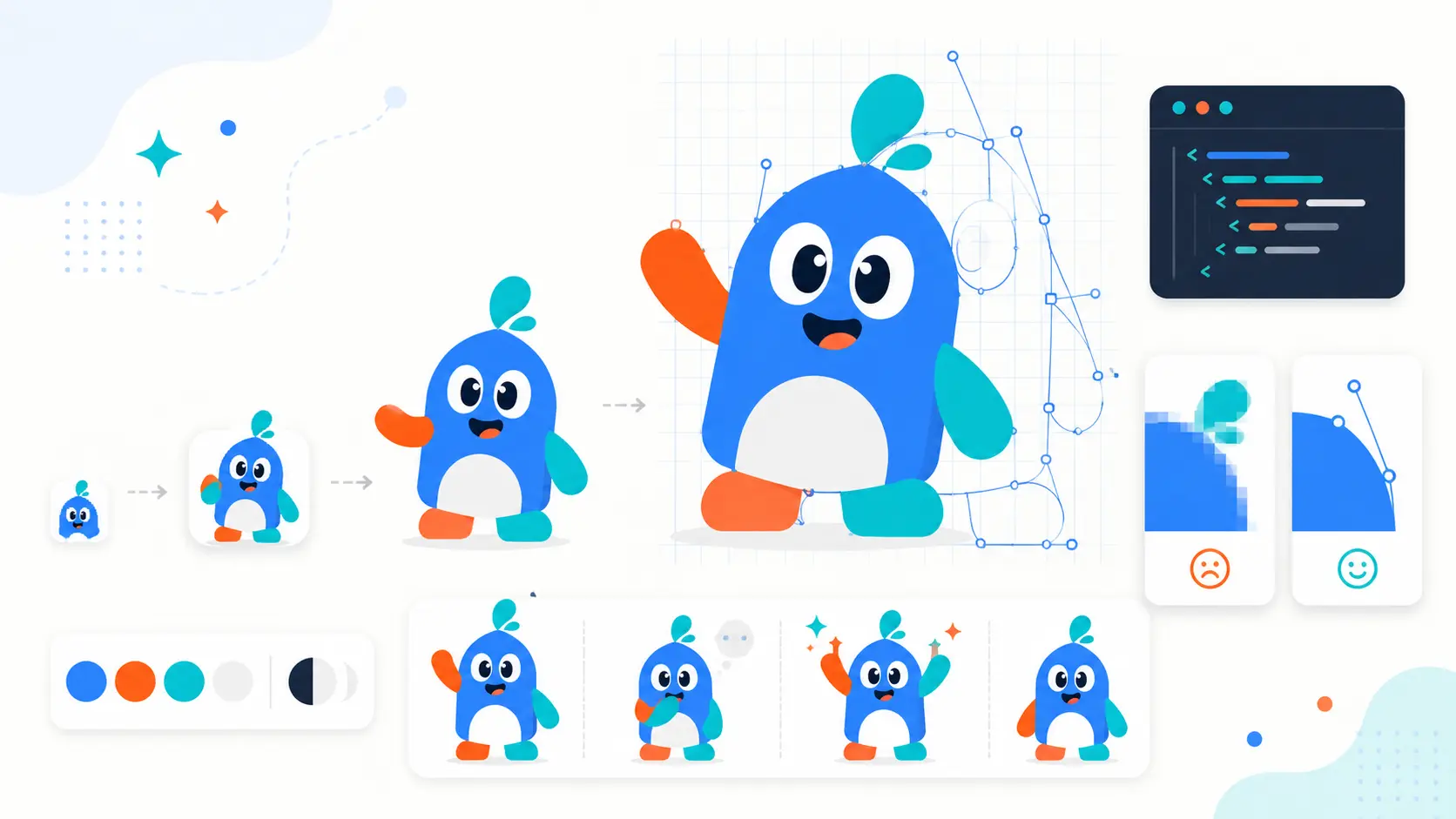
Your mascot looked great on the pitch deck. Then you tried to use it. At 16px, it turned into a smudge in the browser tab. In dark mode, the outline blended into the background. The print shop asked for a vector file, but you sent a 2000px PNG, which they politely rejected. When you needed the same character waving on the onboarding screen and shrugging on the empty state, you discovered you couldn't get the AI to draw the same face twice.
None of this is a design problem. It is a file format issue, along with a consistency problem, and most AI mascot tools do not address either.
The solution is a mascot that exists as a real SVG. This means a character made of editable paths instead of pixels. It should scale from favicon to trade show banner using one file, change colors for dark mode without needing a redraw, and return in the same style each time you need a new pose.
Having a cartoon guy as a brand mascot has brought vast success for many companies we now admire and draw inspiration from, some of them older than a century! That's why here at SVGMaker we've decided to make a retrospection and honor some of the most successful five vector graphics AI tools against that standard. This guide explains what a mascot really needs to be production-ready, how we evaluated each tool, and where each one helps or falls short.
Quick Summary
- Best overall for startup mascots: SVGMaker, combines native AI SVG generation, AI-powered raster to vector conversion, and three layers of editing in one streamlined workflow..
- Best for professional vector control: Adobe Illustrator with Firefly, if you already know Illustrator and can absorb the cost.
- Best for sketch to logo mascots: Logo Diffusion, with the caveat that SVG export is paid only.
- Best if you already live on Wix: Wixel Logo Maker, a template driven vector editor.
- Not for SVG at all: Venngage AI Mascot Generator, which exports PNG, PDF and PowerPoint but no SVG on any plan.
Mascot vs Logo: What You Actually Need
Founders often ask for a mascot when they mean a logo, or build a mascot and then try to make it do a logo's job. They are two different assets with two different lifespans.
A logo identifies. It is compact, stable, and legally ownable. It sits in the nav bar, the app icon, the invoice, the legal footer, and the favicon. Its limited emotional range is the point: it should look the same in 2026 and 2036.
A mascot communicates. It can wave hello during onboarding, hold a checklist in an empty state, look puzzled next to a 404, or celebrate a completed setup. It carries tone without adding a paragraph of copy.
| Logo | Mascot | |
|---|---|---|
| Job | Identify the company | Carry the tone of voice |
| Lives in | Nav, app icon, invoice, favicon, legal | Onboarding, empty states, errors, emails, social |
| Changes | Rarely, and deliberately | Constantly, across poses and expressions |
| Emotional range | Deliberately narrow | Deliberately wide |
| Asset count | One mark plus variants | A pose library |
Most startups need both. The mascot does not replace the logo; it gives the logo somewhere to be friendly.
When a mascot is the wrong call. If your product is in a high trust category where a cartoon undercuts credibility, such as compliance, medical, or financial reporting, a mascot can actively hurt you. If you have no plan to produce more than two or three poses, you will end up with a decorative illustration rather than a brand asset, and a stronger logo would have been a better use of the same effort. Build a mascot when you have recurring moments that need a voice with a face.
Why a Mascot Has to Be SVG
This is where most AI mascot tools quietly fail you, so it is worth being specific about what SVG buys.
One file, every size. An SVG is math, not pixels. The same file renders sharp on a 16px favicon, a 512px app icon, a hero illustration, and a printed trade show banner. A raster mascot needs a separate export per size, and every export is a chance to end up with a slightly wrong one in production.
Recolorable without a redraw. SVG paths can inherit color from CSS. Set fill="currentColor" on the parts you want themed and your mascot follows your dark mode automatically:
A PNG mascot needs a light version and a dark version, forever, for every pose.
Small enough to inline. A clean mascot SVG is usually a few kilobytes. You can inline it in the HTML with no extra network request, which a PNG cannot do without a bloated base64 blob.
Animatable. Because the head, eyes, arm and accessories are separate paths, you can animate them with CSS or SMIL later. A flattened raster gives you nothing to animate.
Print and cutting ready. Merch, stickers, vinyl and Cricut style cutting all need real paths. Auto-tracing a PNG produces extra nodes, ragged edges and artifacts that show up as messy cuts.
One warning: not every file with an .svg extension is a vector. Some tools wrap a bitmap inside SVG tags. If you open the file and see <image href="data:image/png;base64,...">, you have a PNG in a costume. Real vectors are full of <path>, <circle> and <rect> elements.
How We Evaluated These 5 Mascot Tools
We ranked on production readiness, not on which hero image looked prettiest. Six criteria:
- True vector SVG output. Does the tool generate vector natively, vectorize a raster afterwards, or never produce SVG at all? This is the single biggest differentiator, and it separates the five tools into three very different groups.
- Character consistency. Can you get the same mascot back in a new pose? Generate at least five poses of one character before you commit to any tool. Inconsistency is the failure mode that kills mascot projects.
- Editability after generation. AI gets you most of the way. Can you fix the rest, at the visual layer, the path layer, and the code layer?
- Transparency and export formats. Transparent background by default, plus the formats your stack actually needs: SVG for the web, PNG fallbacks for email builders and slide tools, and component formats for your frontend.
- Commercial rights. You are putting this on packaging and possibly filing a trademark. Vague “copyright free” marketing language is not a license grant.
- Real cost to a usable SVG. Not the headline free tier. What does it cost to walk out with a vector file you are allowed to use?
Quick Comparison: Mascot SVG Tools in 2026
| Rank | Tool | Vector SVG Output | Editing After Generation | Free Tier | Best For |
|---|---|---|---|---|---|
| 1 | SVGMaker | Native SVG generation | Visual, AI natural language, and code editor | Yes, 10 credits on signup | Startups that need a full mascot system, not one image |
| 2 | Adobe Illustrator with Firefly | Native vector generation | Full professional path editing | Firefly free tier, Illustrator is paid | Teams with existing Illustrator skill |
| 3 | Logo Diffusion | Raster first, paid vectorize step | Inpainting, recolor, background removal | Yes, but no downloads or vector export | Sketch to logo mascot exploration |
| 4 | Wixel Logo Maker | Vector native, template driven | Vector editor, no code access | Yes, 120 AI credits per month | Founders already on the Wix stack |
| 5 | Venngage AI Mascot Generator | None. PNG, PDF and PowerPoint only | Canvas recolor and element swap | Yes, PNG export | Quick concepts and slide illustrations |
The 5 Tools, Reviewed
1. SVGMaker
Best for: Startups that need a mascot as a reusable system: multiple poses, brand locked colors, transparent exports, and dev ready output.
Platform: Web
Overview
SVGMaker generates SVG directly from a prompt and then gives you three separate ways to refine it, which is the part most competitors are missing. It recently added a dedicated Mascot style preset alongside Monogram and Badge, so you are not fighting a general purpose image model into producing character art. Picking Mascot steers the generation toward bold character design with expressive features and clean outlines, which is exactly the shape language that survives being scaled down to 24px.
The more interesting piece for branding work, SVGMaker's editable vector workflow guide helps designers direct AI like art directors while keeping control over the details that make a mascot memorable. Create mascot concepts as SVG files. Improve recognizable elements through visual, prompt-based, or code editing. Use exact brand colors, remove backgrounds, and turn existing raster artwork into scalable vectors.
Key features
- Mascot, monogram, and badge presets with flat, line art, cartoon, and silhouette styles integrated with ai svg generation.
- Three mascot editing layers: use the visual SVG Editor to refine distinctive details such as Mr. Peanut's top hat, Tony the Tiger's stripes, or the Pringles mascot's mustache; use the AI SVG Editing for plain-English color, size, object, and layout changes; or edit paths and markup directly in the Monaco-based SVG Code Editor.
- SVG Color Editor for matching every mascot color to exact brand hex values.
- SVG Background Remover for creating transparent mascots while preserving editable vector artwork.
- AI raster to vector converter for turning existing mascot sketches, logos, PNGs, JPGs, and WebP images into editable SVGs.
- Sketch to SVG for developing a rough mascot concept into polished vector artwork.
- Flexible exports including SVG, PNG, React, React Native, HTML/CSS, Data URI, and other vector and raster formats.
Pros
- Native SVG output, no tracing step and no credit cost to get vector.
- The only tool here with a purpose built answer to pose consistency.
- Code level access means you can add
role="img", a<title>for screen readers, andfill="currentColor"for theming without leaving the platform. - React component export drops the mascot straight into a frontend.
- Generous free entry point at 10 credits on signup, and prompt enhancement costs nothing.
Cons
- Web only, so no offline workflow.
- AI generation runs on credits, so heavy iteration has a cost.
- The visual editor is built for tablet and desktop, not phones.
Pricing
Credits are consumed per operation: 1 credit for a low quality generation, 2 for medium, 3 for high, 5 for a character sheet, 1 for background removal, and 1 for a conversion. Prompt enhancement is free. New accounts start with 10 credits, and the free tier includes full access to the SVG Editor and SVG Code Editor. Credit packs are purchased rather than subscribed, so you pay for what you use. Check current pack pricing on the site.
Verdict
If you are building a mascot you intend to actually ship across a product, this is the one that gets you from prompt to production file without changing tools. The Character Sheet plus code editor combination is what separates it from tools that hand you a pretty picture and wish you luck.
2. Adobe Illustrator with Firefly
Best for: Design teams that already own Illustrator and want AI generation inside a professional vector environment.
Platform: Desktop, plus Firefly on the web
Overview
Firefly's Text to Vector Graphic is the strongest purely technical vector story in this list. It generates vector natively rather than tracing a raster, which is a real distinction: output arrives as structured artwork with grouped layers, editable paths, live anchor points and correct fills. Firefly on the web downloads as .svg, and generations open directly in Illustrator desktop. Generation modes include Subject, Scene, Icon and Seamless Pattern, with Subject and Icon being the useful ones for a mascot.
Once the artwork is in Illustrator you get the best editing suite available anywhere: full Bézier path editing, Pathfinder, gradients, Recolor Artwork, and SVG code export. This is the only option here that lets you fix the AI's mistakes at the individual anchor point.
The other real advantage is legal. Adobe states Firefly is trained on licensed Adobe Stock, openly licensed and public domain content, and paid Creative Cloud plans carry IP indemnification, meaning Adobe will defend you against infringement claims on Firefly output. For a startup putting a mascot on packaging and filing a trademark, that is materially stronger than the “copyright free” language most AI tools use.
Pros
- Genuinely generated vector, not traced, with clean grouped paths.
- Unmatched post generation editing at the path level.
- The clearest commercial safety and indemnification position of any tool here.
- Illustrator remains the industry standard for handoff to printers and manufacturers.
Cons
- Firefly models do not output editable text, so a mascot plus wordmark lockup means setting the type yourself in Illustrator.
- Steepest learning curve by a wide margin, and a desktop app requirement.
- Highest ongoing cost of the five.
- Output is a strong starting point, not a finished deliverable. Expect path cleanup.
- Illustrator now offers third party partner models from Google, OpenAI and Flux alongside Adobe's own. Whether Adobe's indemnification extends to partner model output is not clearly documented, so verify before relying on it commercially.
Pricing
Firefly has a free tier. Firefly Standard is $9.99/mo, Pro $19.99/mo, and Pro Plus $49.99/mo. Creative Cloud All Apps, which includes Illustrator, runs around $54.99/mo. An Illustrator single app subscription is the practical minimum for the in app feature. We could not confirm how many generative credits a single vector generation consumes, so check Adobe's generative credits FAQ before planning a budget around it.
Verdict
The best tool here if you already have the skill and the subscription. If you do not, you are paying a professional tool's price and learning curve to produce one character.
3. Logo Diffusion
Best for: Founders who want to sketch a rough mascot idea and see many polished directions fast.
Platform: Web
Overview
Logo Diffusion is a Stable Diffusion derived logo generator with text to logo, sketch to logo and image to logo workflows. Mascot is an explicitly supported style alongside Pictorial, Cartoon, Icon and Abstract. The sketch to logo path is genuinely good and is its clearest advantage: rough out a silhouette, get back a set of refined interpretations.
The important structural detail is that generation is raster first. Turning a result into an SVG is a separate Vectorize action costing roughly 5 credits per job. Their marketing describes this as constructing true vector logos rather than tracing shapes, but that claim is not independently verifiable, so treat the output as something to inspect rather than trust.
Pros
- Strong sketch to logo and image to logo workflows.
- Mascot is a first class style, not an afterthought.
- Magic Editor for inpainting style regeneration, plus recolor, background removal, upscaling and mockup generation.
- Low learning curve.
Cons
- SVG export is paid only, and each vectorize job burns credits, which drains an allowance fast during iteration.
- No vector path editing and no SVG code editing. Once vectorized, all refinement has to happen in an external editor.
- Reviews consistently report weak text rendering, which is a real problem if your mascot includes a wordmark.
- The free tier is a preview, not a working tier.
Pricing
Free is 24 credits per month, roughly 12 generations, with no downloads, no vector export and no commercial rights. Starter Pack is $15 one time for 300 credits, 3 exports and a commercial license for 3 logos. Basic is $24/mo, Pro $49/mo, Elite $99/mo, each with a higher vector export cap. Note that Logo Diffusion's own blog claims the free plan includes free vector exports while their pricing page says it does not. The pricing page is the one that governs at checkout.
Verdict
A good idea generator and a mediocre production tool. Use it to explore directions, then take the result somewhere you can actually edit paths.
4. Wixel Logo Maker (formerly Wix Logo Maker)
Best for: Founders already building on Wix who want a mascot mark that matches their site.
Platform: Web
Overview
Wix Logo Maker is a one time purchase. Most review articles still describe the old product and the old pricing. The legacy product still exists in Wix's help centre documentation, but the public facing logo maker has different economics.
Wixel is vector native, and the editor gives you real control over character details, color palettes, typography and element positioning. The tradeoff is that mascot creation here is closer to template and asset assembly than free form generation, so expect more consistency and less originality than a diffusion based tool.
Pros
- Vector native editor with genuine per element control.
- Free tier is usable for exploration at 120 AI credits per month.
- Tight integration if your site, domain and hosting are already Wix.
- Pro and Max plans bundle Wix Premium and a domain voucher, which is real value if you were buying those anyway.
Cons
- Template driven, so mascots tend toward the generic.
- No SVG code editing.
- Bundled hosting and domain value is also lock in.
- Weaker at producing a distinctive character than the generative tools here.
Pricing
Wixel is free with 120 AI credits per month capped at 30 per day. Basic is $90/yr, Pro $290/yr, Max $590/yr. Wixel's marketing pages indicate SVG, PNG and JPG download on the free plan, but the pricing page does not name SVG explicitly, and Wix has paywalled logo vector files for years. Verify the SVG download actually completes on a free account before you commit. Prices for the legacy Wix Logo Maker plans are not published in Wix's own documentation and the third party figures circulating contradict each other, so check at checkout rather than trusting a review.
Verdict
Fine if you are already inside the Wix ecosystem and want something coherent quickly. Not the tool to reach for if the mascot is meant to be the memorable part of your brand.
5. Venngage AI Mascot Generator
Best for: A quick concept, a Slack avatar, or an illustration for a deck.
Platform: Web
Overview
Venngage's mascot generator is a prompt to character feature inside Venngage, a template driven infographic and business document platform. It is fast, free to try, and requires no design skill.
It also does not export SVG. Venngage's supported download formats are PNG, PNG HD, PDF, PowerPoint and HTML, and SVG appears on no plan, including Enterprise. That is confirmed in Venngage's own download formats documentation, not inferred. In a comparison about mascot SVGs, that is a disqualifying limitation and we are ranking it accordingly.
Pros
- Genuinely free to start, exporting PNG and Hi-Res PNG.
- Fastest path from prompt to a usable picture in this list.
- Good if the mascot's only job is to appear in slides and social posts.
Cons
- No SVG export on any plan. No scaling to signage, embroidery, favicons or app icons; no vinyl or die cut workflow; no inline SVG or CSS theming on the web.
- No vector path editing and no code access. Refinement is largely re-prompting.
- Venngage describes outputs as copyright free and commercially usable. That is marketing phrasing, not a reviewed license grant, so read the terms yourself before putting it on packaging.
Pricing
Free tier exports PNG and Hi-Res PNG. Premium is around $10/mo billed annually, Business around $24/mo per user and adds PDF and PowerPoint export, Enterprise starts around $499/mo with a 10 seat minimum. Venngage runs near permanent discounts, so treat these as approximate and check the live page.
Verdict
A capable illustration tool that does not belong in a vector workflow. Use it for a concept sketch, then rebuild the mascot properly somewhere that gives you SVG.
Which One Should You Pick
| Your situation | Recommended tool | Why |
|---|---|---|
| You need a mascot in multiple poses across your product | SVGMaker | Character Sheet plus three editing layers, all in SVG |
| You already know Illustrator and pay for Creative Cloud | Illustrator with Firefly | Native vector generation with the best path editing available |
| You want to sketch an idea and see many directions | Logo Diffusion | Strongest sketch to logo workflow, but budget for paid vectorize |
| Your site, domain and hosting are on Wix | Wixel Logo Maker | Coherent with the rest of your Wix stack |
| You need a picture for a deck this afternoon | Venngage | Fast and free, but accept you are not getting a vector |
| You have an existing mascot as a PNG or JPG | SVGMaker logo to SVG | Vectorize what you already own instead of starting over |
| You need matching app icons alongside the mascot | SVGMaker AI Icon Generator | Same style language across mascot and icon set |
A Practical Mascot Workflow
Tool choice matters less than process. Here is the order that actually works.
- Write the personality before you write the prompt. Pick three behavioral adjectives, not visual ones. “Patient guide” produces different art than “fast moving sidekick.” Species comes last.
- Generate the neutral pose first. One clean, front facing, transparent background version of the character. Everything else derives from it. Do not start with the fun hero illustration.
- Lock the rules. Head to body ratio, eye shape, line weight, color count, accessories, and which expressions are allowed. Write them down. This is what keeps pose ten looking like pose one.
- Lock the palette. Run every pose through a color editor so all of them use the identical brand hex values. AI drifts between
#2563EBand#2A62C4without telling you. - Test on five backgrounds. White, near black, your brand color, a muted card surface, and a gradient. Check edge contrast, small size legibility, and whether any drop shadow assumed a white background.
- Clean the code. Open each file in an SVG code editor. Add
role="img"and a<title>for screen readers, switch themeable fills tocurrentColor, and check for embedded raster images hiding inside the file. - Export both formats. SVG for the product and the web, transparent PNG as a fallback for email builders, slide tools and social schedulers that still do not render SVG properly.
Frequently Asked Questions
1. What is the best AI tool to create a mascot SVG for a startup?
SVGMaker for most startups, because it generates SVG natively, has a dedicated Mascot style preset, and includes a Character Sheet generator for producing consistent poses. Adobe Illustrator with Firefly is stronger if you already have Illustrator skill and want anchor point level control.
2. Can AI actually generate a real vector SVG, or does it just trace a PNG?
Both exist, and the difference matters. SVGMaker and Adobe Firefly generate vector natively. Logo Diffusion generates a raster image and then vectorizes it as a separate paid step. Venngage never produces SVG at all. Tracing introduces extra nodes, artifacts and lost detail, which show up as messy edges when you scale or cut the file.
3. Why does my mascot need to be SVG instead of a high resolution PNG?
Because one SVG covers every size, from a 16px favicon to a printed banner, while a PNG needs a fresh export per size. SVG also recolors for dark mode through CSS, stays a few kilobytes, can be animated path by path, and gives print shops and cutting machines the real paths they require.
4. How do I keep my mascot looking the same across different poses?
Generate the neutral pose first, then write down the rules that define the character: head to body ratio, eye shape, line weight, color count, and accessories. Use an AI fantasy Character creator to produce multiple views of the same character in one generation rather than re-prompting and hoping for a match. Test any tool by generating five poses of one character before you commit to it.
5. Can I use an AI generated mascot commercially and trademark it?
Commercial use terms vary a lot per tool, so read the actual license rather than the marketing line. Adobe offers the clearest position, with IP indemnification on paid Creative Cloud plans. Logo Diffusion's free plan grants no commercial rights at all. Venngage describes output as copyright free, which is a marketing phrase rather than a license grant. Trademark eligibility depends on your jurisdiction and on how distinctive and how used the mark is, so talk to an IP lawyer before filing.
6. How do I make my mascot's background transparent?
Real SVGs have no background by default; a white box means something in the file is drawing it, usually a full canvas <rect>. You can delete that rectangle in an SVG code editor, or run the file through an SVG background remover that works on the vector rather than converting to raster first.
7. Which of these tools has a genuinely usable free tier?
SVGMaker gives new accounts 10 credits plus free unlimited use of the SVG Editor and SVG Code Editor. Wixel gives 120 AI credits per month. Venngage exports PNG for free. Logo Diffusion's free plan allows no downloads, no vector export and no commercial rights, so it is a preview rather than a working tier. Firefly has a free tier, but the Illustrator integration needs a paid subscription.
8. Do I need a mascot if I already have a logo?
Not necessarily. A logo identifies your company; a mascot gives it a voice in moments like onboarding, empty states and error recovery. If you do not have recurring moments that need personality, or you are in a high trust category where a character undercuts credibility, invest in a stronger logo instead.
9. Can I get my mascot as a React component for my app?
Yes, with SVGMaker. Its download options include React and React Native components alongside SVG, PNG, Data URI and HTML/CSS, with custom sizes from 16px to 4096px. That skips the manual conversion step between design and frontend.
10. What if I already have a mascot drawn as an image?
Vectorize it rather than regenerating from scratch. Logo to SVG conversion traces an existing PNG or JPG mark into a vector, and you can then clean up the paths in an editor. This preserves the character you already have equity in.
Conclusion
The five tools in this list are not really competing on which one draws the cuter character. They are competing on what they hand you at the end.
Venngage hands you a PNG. Logo Diffusion hands you a raster and then charges you to convert it. Wixel hands you a template based vector. Firefly hands you genuinely generated vector art that you then need Illustrator skill to finish. SVGMaker hands you a native SVG plus three ways to edit it and a character sheet to keep the mascot consistent across every pose you will need.
Pick based on what happens after generation, because that is where mascot projects fall apart. Then follow the process: personality first, neutral pose second, rules written down third, poses fourth, palette locked fifth, code cleaned last.
For more on vector branding assets, see our guides on the best SVG logo makers, SVG logo generators for small businesses, and the best AI icon generators.