7 Best SVG Logo Generators for Small Businesses in 2026
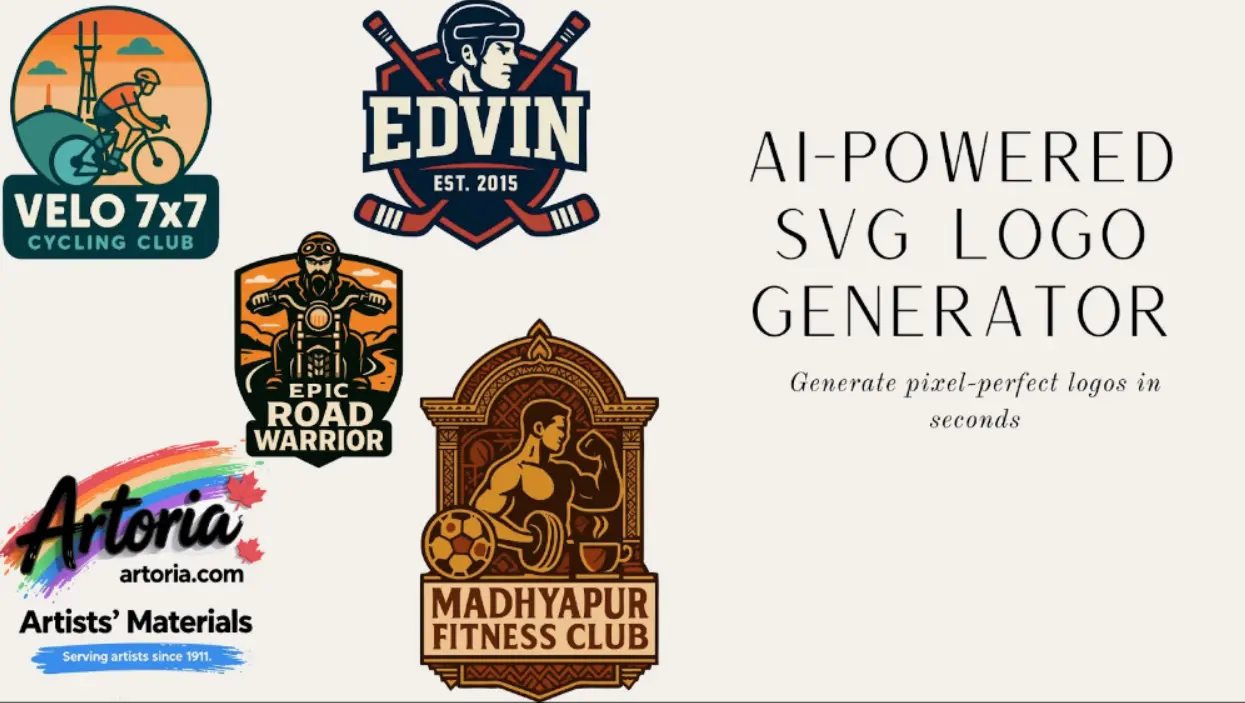
In the fast-paced digital landscape of 2026, a logo is no longer just a static image—it is a dynamic asset that must perform across smartwatches, ultra-high-definition displays, and immersive web environments. For small businesses, the challenge is balancing professional quality with a startup budget. This is where SVG (Scalable Vector Graphics) becomes the gold standard.
Unlike traditional JPEGs or PNGs, SVG logos use mathematical equations to ensure your branding never pixelates, no matter how much you zoom in. For budget-conscious small businesses and startups, AI-powered SVG logo generators have become a game-changer—anyone can get professional, customizable results at a fraction of the cost and time of hiring a designer.
As we look at 2026, these tools are smarter, more intuitive, and packed with features tailored for entrepreneurial success.
Why Small Businesses Need an SVG Logo Generator in 2026
With e-commerce and digital marketing evolving rapidly, small businesses need logos that adapt seamlessly to various platforms without losing quality. SVG generators leverage AI to create these assets quickly, often in seconds, while offering scalability for print and digital use.
- Reduce design costs by up to 90% compared to freelancers
- Ensure commercial-ready files instantly
- Multilingual support for global outreach
- Advanced AI models for unique, professional results
Our Ranking Criteria for the Best SVG Logo Generators
To curate this list, we tested dozens of tools and narrowed it down to the top 7 options for creating SVG logo files, based on key factors tailored to small businesses such as design quality, user-friendly interfaces, and excellent value for money.
- Ease of Use: Intuitive interfaces for non-designers
- Affordability: Free tiers, low-cost plans, or one-time payments under $100
- SVG Output Quality: True vector paths (not raster-wrapped fakes) for scalability
- AI Features: Prompt-based generation, customization, and originality
- Customization Options: Fonts, colors, icons, and editing tools
- User Reviews: High ratings from small business owners, focusing on speed and value
- 2026 Relevance: Enhanced AI, multilingual support, and affordable pricing
1. SVGMaker - AI-Powered SVG Logo Generation Platform
Best For: Tech startup founders, SaaS, small business owners who want pixel-perfect vector logo files responsive across all devices instantly without spending hours learning design software.
The Complete Platform
- Text to SVG Generator: Write a prompt, get a finished SVG in 10 seconds
- AI SVG Editor: Refine your design using simple instructions like "add a border," "remove background," or "make it minimal"
- Built-in Manual SVG Editor: Take full control with path manipulation, advanced filters, and layered editing
- Image-to-SVG AI Generator: Upload sketches or reference images and instantly convert them into scalable vector graphics
- Advanced AI Model Support: Generate up to four versions using Flux 2, Nano Banana Pro, GPT Image 1, & Seedream 4.5
- Multiple Format Export: Export in .AI, EPS, PDF along with SVG
- Hybrid Mode: Combine text prompts and images for precise, custom results
Why It Wins
- Proven at Scale: Over 378,795+ SVGs generated, trusted by 80,000+ creators worldwide
- True AI Generation: No templates—simply type "Tattoo studio logo with ornate vintage style" and get results that match your intent
- Technical Purity: Pure vector geometry—no hidden bitmaps, ready for vinyl cutting, laser engraving, CNC, and print
- Multilingual Prompt Support: Understands and generates from prompts in multiple languages
- Commercial Rights Included: All plans include full commercial usage rights with no extra licensing fees
Pricing: Credit-based starting from $8 (no monthly commitment)
2. Design.com
Best For: Entrepreneurs and small businesses that need a professional logo and complete brand identity without hiring a designer or juggling multiple tools.
Key Features
- AI generates industry-specific logo concepts from your business name and keywords
- Brand auto-sync automatically applies your approved colors and typography across business cards, email signatures, social posts, and letterheads
- Free tier includes browsing, customizing, and downloading logos, including vector formats (SVG, EPS, PDF) at no cost
- Access to 500,000+ professionally designed templates across the platform
- Unlimited logo changes on all paid plans
- Permanent file storage under paid plans
- Full commercial rights on all downloaded logos
Pros
- The only tool on this list that builds a complete brand identity system alongside the logo — not just a standalone file
- SVG, EPS, and PDF downloads are available on the free tier with no file format paywalls, unlike most competing tools
- Copyright-safe outputs guaranteed on every design
Cons
- Browser-based only, with no desktop or mobile app
Pricing: Free tier includes vector downloads (SVG, EPS, PDF) at no cost. Paid plans start at $3/month (billed annually) and include unlimited logo changes, permanent file storage, and matching brand assets. Website builder unlocks at $4/month, with digital business cards and link-in-bio at $5/month.
3. Looka
Best For: Industry-specific businesses needing quick, polished logos with comprehensive brand kits and mockups for marketing materials.
Key Features
- AI-generated mockups
- Color and symbol tweaks
- High-res SVG/PNG/EPS/PDF exports
- Brand guidelines and social integrations
- 300+ branded templates
Pros
- Instant generations with user-friendly editor
- Includes partner offers worth $3,000+
- Real-life mockups for presentations
Cons
- Relies on AI tweaks which may limit extreme customization
- Pricing not detailed on site
Pricing: Basic one-time ~$20; premium ~$96 for full kit
4. Canva AI Logo Generator
Best For: Collaborative teams or beginners already in the Canva ecosystem, wanting seamless integration for broader design projects.
Key Features
- Text-to-logo with Dream Lab AI
- Style options including 3D and vector
- Reference image upload and upscaling
- Exports in JPG, PNG, PDF (SVG via Pro)
- Collaboration tools for teams
Pros
- Free tier with 20 prompts/month
- Fast seconds-long generation
- Multilingual interface and ethical AI guidelines
Cons
- SVG export requires Pro subscription
- Limited free prompts
- No exclusive commercial rights (need trademark checks)
Pricing: Free; Pro $12.99/month for unlimited
5. Adobe Express
Best For: Creative professionals or businesses in the Adobe ecosystem needing pro-level integrations and quick content creation.
Key Features
- AI Assistant (beta) for edits
- Templates for logos and flyers
- Brand Kits and video tools
- SVG exports with Creative Cloud sync
Pros
- Commercially safe AI
- Cross-device sync
- Real-time collaboration and high-quality assets
Cons
- Limited free AI credits
- Beta AI may be unstable
- Hard to use and not beginner-friendly
Pricing: Free basic; premium ~$9.99/month; enterprise contact sales
6. Designs.ai
Best For: Multifunctional small teams needing AI for logos, videos, and content in one platform.
Key Features
- AI logo and brand kits
- SVG vector editor
- Text-to-speech and AI writer/draw
- Multi-format downloads
Pros
- Free tier available
- Quick professional outputs
- Versatile tools with commercial licenses
Cons
- Free limits apply
- English-focused with redistribution restrictions
Pricing: Free; subscriptions from ~$19/month
7. Tailor Brands
Best For: New businesses combining logo design with legal services like LLC formation and growth tools.
Key Features
- Questionnaire-based AI personalization
- SVG exports and animations
- Trademark tools and AI Co-Founder for business guidance
Pros
- End-to-end setup in minutes
- Bundled services with customer support
Cons
- Upselling focus with potential delays
- Limited AI depth for design customization
Pricing: From ~$49.99
Comparison of the Top SVG Logo Generators
Here is a quick comparison to help you choose the right tool for your needs.
| Tool | Vector Quality | AI Capability | Speed | Multilingual | Price |
|---|---|---|---|---|---|
| SVGMaker | High | Advanced | Instant | Yes | $8 (Low) |
| Design.com | High | High | Instant | Limited | Free / $3/month (Low) |
| Looka | Medium | Medium | Quick | Limited | $20 (High) |
| Canva | Limited | Medium | Seconds | Yes | $12.99/month (High) |
| Adobe Express | High | Medium | Quick | Limited | $9.99/month (High) |
| Designs.ai | Limited | Medium | Quick | Limited | $19/month (High) |
| Tailor Brands | Medium | Medium | Minutes | Limited | $49.99 (High) |
How AI Logo Generators Actually Work
When you click "Generate" on a platform like SVGMaker, a sophisticated process unfolds in seconds. Understanding the technology behind AI logo generation helps you write better prompts and get better results.
The Technology Stack Behind AI Logo Generation
Most AI logo generators employ a combination of technologies: neural networks trained on thousands of professional logos, natural language processing (NLP) to understand your business descriptions, generative adversarial networks (GANs) to create novel designs, and computer vision algorithms to ensure visual harmony. The best platforms also incorporate vector graphics generation capabilities to ensure your logo remains crisp at any size — essential for modern multi-platform branding.
The Three-Step Process
Input Business Details
Enter your company name, industry, and a brief description of your brand values and audience.
Select Style Preferences
Choose color palettes, fonts, and visual styles that align with your brand identity.
Review & Customize
Browse AI-generated options, select favorites, and make refinements until perfect.
Traditional vs. AI Logo Design: A Practical Comparison
| Aspect | Traditional Design | AI Logo Generator |
|---|---|---|
| Timeline | Days to weeks | Minutes to hours |
| Cost | $250-$2500+ | $0-$100 |
| Iterations | Limited by budget | Unlimited exploration |
| Skill Required | Design expertise needed | Beginner-friendly |
| Customization | High (with good designer) | Moderate to high |
Behind the seemingly simple interface lies complex technology. The AI analyzes your inputs against vast databases of design principles, industry trends, and successful logos. It understands that a law firm logo should convey different values than a children's toy brand and adjusts its outputs accordingly. More advanced systems even consider psychological aspects of color theory, shape perception, and typography to ensure your logo communicates effectively with your target audience.
Business Impact Beyond the Logo
The benefits of AI logo generators extend beyond just getting a professional logo affordably and quickly. For small businesses in particular, these tools are changing how brands approach their entire development process:
Accelerated Market Entry
Reducing the time spent on logo design means faster brand deployment and market entry. In competitive industries, this speed advantage can be the difference between capturing market share and missing opportunities. A small business can go from concept to branded website in a single afternoon.
Resource Reallocation
The money saved on logo design can be redirected to other critical startup expenses like product development, customer acquisition, or operational improvements — areas that often directly impact business success. A $2,000 savings on branding could fund months of digital marketing.
Brand Consistency
Advanced AI logo generators provide complete brand assets — not just a logo but coordinated color palettes, typography recommendations, and style guides that ensure consistency across all touchpoints, from your website to business cards to social media profiles.
Iterative Improvement
Because AI-generated logos can be easily modified, brands can evolve their identity gradually based on market feedback without starting from scratch — a more agile approach than traditional redesign processes that small businesses can actually afford to repeat.
Real-World Success Pattern
The most successful implementations typically combine AI-generated foundations with strategic brand thinking — letting the AI handle the execution while humans make the crucial decisions about positioning, brand voice, and target audience alignment. For small businesses, this means you get professional output without the professional price tag, and you can invest your limited time and budget where it matters most: building your product and serving your customers.
KITTL: The Top Choice for Continuous Style-Locking and Cohesive Brand Assets
Best For: Restaurant chains, sports leagues, and craft brands that need the same look locked across dozens of collateral pieces with cohesive brand assets.
Kittl wins the style-locking category because of one feature most other tools do not have: the Document Palette. Every color used in your design appears as a swatch in a sidebar — drag a new color onto a swatch and every element using that color updates globally. It is the cleanest way to lock a brand palette across a multi-element mascot or a restaurant lockup without picking each path by hand.
Key Features
- Document Palette for global color management across all design elements
- Brand Styles that save color, border, shading, effects, text, shadow, and photo-filter presets
- Style-locking to reapply consistent branding across new designs
- Vector-native editor with hex input, eyedropper, and per-element + per-group + global recoloring
- Clean path SVG output with no documented embedded-raster issues
Pros
- Best-in-class style consistency across multi-piece brand systems
- Restaurant lockups and mascot logos stay editable with vector-native paths
- Craft and packaging logos benefit from precise typographic detailing
- Commercial licensing up to 500K reproductions on Pro tier
Cons
- No automatic light/dark or B&W variant export — you generate those manually
- AI generation is good but not as conversational as SVGMaker's chat-first workflow
- Free tier exports 800px PNG only for personal use — no SVG
Pricing: Free tier (800px PNG, personal use). Pro at $10/mo annual ($120/yr) unlocks SVG export, 2,000 monthly AI tokens, and commercial licensing. Expert tier at $24/mo annual for heavier AI use.
Dreamina: The Best Option for Interactive Tuning and Creator Aesthetics
Best For: Twitch streamers, indie game studios, and creator brands where prompt-driven mascot, cartoon, and stream-art aesthetics matter more than path geometry.
Dreamina (from ByteDance, the company behind CapCut) is the strongest tool for prompt-driven character art. You iterate visually — re-prompt, restyle, re-render — until the character hits. However, Dreamina is a diffusion-based text-to-image model (Seedream MMDiT), not a text-to-vector model. Any SVG output is most likely a traced raster wrapped as vector rather than native paths. Verify before committing a Dreamina logo to a brand system.
Key Features
- Diffusion-based image generation with iterative re-prompting workflow
- "AI Vector Generator" tool (output is traced raster, not native vector paths)
- Strong prompt-driven mascot, cartoon, and gaming logo aesthetics
- Interactive tuning loop for character-driven designs
Pros
- Best visual punch for stream overlays, esports mascots, and cartoon avatars
- Fast iterative workflow for creator branding
- Free tier with 225 daily shared tokens
Cons
- Not true vector output — diffusion-based architecture means SVG export is traced raster
- No visual color picker, no hex input, no eyedropper, no element-wise editing
- No editor, no light/dark variants, no audit trail on color values
- Free tier includes watermark and shared-token usage
- PNG/JPG focused exports — not a brand-grade vector workflow
Pricing: Free tier (225 daily shared tokens, watermark). Basic at $18/mo (1,010 credits). Standard at $42/mo. Advanced at $84/mo. Paid plans remove the watermark.
How to Verify Your Logo Is True Vector
Before you trust any logo as "vector," run these four checks. They take less than a minute and they catch every fake-SVG output — logos that are really raster images wearing a vector costume.
- Open the SVG in a text editor — search for
<imageorbase64,. Either string means there is a raster bitmap embedded inside the file. A true vector logo contains only<path>,<rect>,<circle>,<polygon>,<g>, and gradient definitions. - Zoom to 6400% in your browser — blurry edges mean raster, razor-sharp edges mean vector. This is the same test a print shop will run before approving your artwork for a banner.
- Test with a plumbing logo (wrench) — if you cannot change the color of the wrench alone without affecting the rest of the mark, it is not element-wise vector. It is a flattened path or worse.
- Test with a mascot logo — separate paths for head, eyes, hat, and accents must exist. If the whole mascot is one merged shape, you have lost editability forever.
If your SVG fails any of these checks, the file is not safe for large-format print, vinyl cutting, laser engraving, or any workflow that requires true scalability. Many AI logo generators produce files that look like SVG on the surface but contain hidden base64-encoded PNGs that pixelate when scaled.
Color Palette Architecture
Color is where most logo workflows quietly fail. A logo that looks right in the editor can ship with the wrong hex, lose its brand color on a dark hero, or rasterize the moment you change one swatch. Here is how palette discipline works for professional logo output.
- Visual color picker — look for tools that include a true eyedropper alongside hex input. SVGMaker, KITTL, Canva Pro, and Adobe all include eyedropper functionality. Prompt-only color control (like Dreamina) means you cannot guarantee hex precision.
- AI palette generation — the best tools generate palettes based on color theory rules: complementary, analogous, and triadic schemes from your primary brand hex. This means you start from color science, not guesswork.
- Element-wise color selection — critical for real edits like changing a bubble color in a car wash logo without affecting the car body, or changing one wrapper stripe in a candy logo. Without this, you are stuck re-prompting the entire design.
- Light/dark variant export — the toughest test for any logo tool. Your logo needs to work on both light and dark backgrounds. The best tools export both variants directly; others require you to build and save each theme variant manually.
- Color harmony rules — complementary (opposite on the color wheel for maximum contrast), analogous (adjacent colors for harmonious palettes), and triadic (three equally spaced colors for vibrant balanced schemes). Professional logos use these rules, not random color picks.
Licensing & Trademark Essentials
A great logo with a weak license is a liability, especially if you plan to file a trademark. Three rules to check before you ship.
- Confirm full ownership — required if you plan to trademark a mascot or cartoon logo. Check whether the tool grants ownership of the final composition or only a commercial-use license. Some free tiers ship with watermarks and shared-token usage that you should read carefully before committing to a brand mark.
- Check font licensing — restaurant, cafe, and craft logos that use custom typography must have outlined vectors at export, otherwise the font license travels with the file. Most paid plans handle this automatically when you export SVG.
- Avoid non-exclusive rights for professional industries — law firm, real estate, and finance brand categories need exclusive, defensible marks. Template-wizard outputs can be reused by other customers and are weaker for trademark filing. Generative tools that produce unique paths give you stronger ground for trademark registration.
Best Tool by Logo Category
There is no universal winner because there is no universal logo. Here is the category-based breakdown to help you pick the right tool for your specific logo type.
Business & Local Service
Restaurant, cafe, plumbing, real estate, logistics logos — use a wizard-based tool like Looka for instant brand-kit variants, or Canva for typography-driven marks. For true vector output with AI generation, SVGMaker covers the full workflow.
Sports, Fitness & Apparel
Mascot, gaming, and fitness logos — Adobe Firefly + Illustrator for refined hand-finished marks, or SVGMaker for an end-to-end free workflow that includes the editor for element-wise color edits on complex mascot designs.
Product, Packaging & Craft
Candy, craft, and packaging logos — KITTL for style-locking across many SKUs. Its Document Palette and Brand Styles ensure consistent branding across an entire product line.
Entertainment, Gaming & Creator
Stream overlays, mascot characters, and cartoon avatars — Dreamina for prompt-driven character art with strong visual punch, then rebuild the production logo in a true vector tool like SVGMaker for scalable brand assets.
Institution & Professional
Law firm, education, and finance logos — these categories need exclusive, defensible marks with strict hex compliance. Use Canva for typography-heavy traditional marks, or Adobe for strict color precision and trademark-grade originality.
FAQs: Common Questions About SVG Logo Generators for Small Businesses
1. What is an SVG Logo Generator?
An SVG Logo Generator is an AI-powered or template-based design tool that allows users to create logos in a vector format. Unlike raster images (pixels), SVG files are code-based, meaning they can be scaled infinitely without losing quality. They are the preferred format for web developers and professional printers because they are lightweight and improve website loading speeds—a critical factor for SEO.
2. What is the best SVG logo generator for small businesses in 2026?
SVGMaker stands out for its advanced AI capabilities, ease of use, instant generation, and affordable credit-based pricing starting at $8 (no monthly commitment), making it ideal for quick, professional vectors.
3. Are SVG logos better than PNG for small business branding?
Yes—SVGs scale without quality loss, load faster on websites, and are editable. PNGs pixelate when enlarged, making SVGs essential for versatile branding across all screen sizes and print materials.
4. Do these AI SVG logo generators give me full commercial rights?
Most reputable ones on this list, like SVGMaker and Design.com, grant full commercial rights with paid plans. Always review licensing—free versions may require attribution or limit use.
5. How do I choose between free and paid SVG logo generators?
Free options like Canva's basic tier suit testing, but paid plans (e.g., Looka's one-time fee) unlock SVG exports, advanced AI, and commercial rights for professional needs.
6. Is AI replacing human designers?
Rather than replacing human creativity, AI logo generators are best understood as democratizing tools that make basic design more accessible. Professional designers are shifting toward more complex brand strategy, custom illustrations, and comprehensive visual systems — areas where human creativity and strategic thinking still provide significant advantages over automated solutions. Many designers are even incorporating AI tools into their workflows to handle routine tasks while focusing their talent on higher-value creative work. For small businesses, AI generators handle the 80% of logo needs that don't require bespoke design, freeing up budget for the 20% that truly benefits from human expertise.
Conclusion
In 2026, SVG logo generators empower small businesses to build strong, scalable brands without hefty investments. From SVGMaker's instant AI-driven purity to Design.com's complete brand identity system, these tools cater to diverse needs like speed, customization, and integration.
Whether you're a solo entrepreneur or a growing team, starting with a free trial can transform your branding. Prioritize based on your priorities—AI depth for originality or bundles for full setups—and elevate your business identity today.
Ready to create your professional SVG logo? Try SVGMaker today and see how easy it is to build your brand identity with AI-powered vector graphics.
