What Are the Best SVG Editors for Designing Scalable Vector Logos for Branding in 2026?
Why Your Choice of SVG Editor Defines Your Brand's Future
In the digital ecosystem of 2026, your brand's visual identity isn't just a static image—it's a living, breathing asset that must perform flawlessly across an infinite number of screen sizes and physical formats. This is where Scalable Vector Graphics (SVG) become the foundation of modern branding. Unlike pixel-based formats, SVGs are mathematical equations that guarantee your logo remains razor-sharp on a mobile screen, a 4K display, or a building-sized banner.
Choosing the right SVG editor is the most critical branding decision you'll make. It determines not just the quality of your logo, but the efficiency of your entire design workflow. This guide explores the essential tools for SVG logo design, with a deep dive into how modern, integrated platforms like SVGMaker are redefining the creative process by combining artificial intelligence with professional-grade manual editing in a single, seamless environment.
Understanding SVG and Its Role in Logo Design
SVG is an XML-based vector image format that defines graphics using points, lines, curves, and shapes. Unlike raster images (JPEG, PNG) that pixelate when scaled, SVGs are mathematically precise, ensuring your logo remains crisp at any size or resolution.
Your brand exists across dozens of touchpoints: websites, mobile apps, social media avatars, business cards, and merchandise. A scalable vector logo guarantees visual consistency and professional quality across all these mediums without requiring multiple file versions.
SVG files are often smaller than their raster counterparts, leading to faster website loading times—a critical SEO and user experience factor. Furthermore, as code-based files, SVGs are inherently editable. You can adjust colors, shapes, and text long after the original design is saved, making them future-proof assets.
Learn More About SVG Standards:
- W3C SVG Specification - The official technical standard for SVG
- MDN Web Docs on SVG - Comprehensive developer documentation
The Anatomy of a Professional SVG Editor: Must-Have Features
Before comparing tools, it's essential to understand what separates a basic editor from a professional one. For SVG logo design, your chosen platform must excel in these core areas:
Precision Path & Shape Creation
Mastery over Bézier curves, node editing, and Boolean operations (Union, Subtract, Intersect) is non-negotiable for crafting unique, clean logos.
Advanced Typography & Text Control
A robust font system and the ability to convert text to vector outlines ensure your logotype appears exactly as intended, anywhere.
Clean, Optimized Export
The editor must produce lean, web-ready SVG code—free of bloat that slows down websites. Performance is part of branding.
Modern, Integrated Workflow
In 2026, the best tools break down barriers between ideation, creation, and refinement, offering a fluid process from brain to browser.
The Rise of Online SVG Editors: Designing Directly in Your Browser
Cloud-based tools have revolutionized design workflows, offering accessibility and collaboration.
While famed for UI/UX, Figma's vector tools are powerful enough for professional logo design, especially within teams that value real-time feedback and prototyping.
Its strength lies in user-friendly templating and a vast asset library. It's a free SVG editor option for non-designers to create quick, presentable concepts, though it offers less precision for custom, intricate logo work.
SVGMaker focuses specifically on SVG creation, offering a free built-in online SVG editor alongside AI-powered SVG generation and edit.
It's ideal for users who want to rapidly generate logo ideas with AI, then fine-tune paths, shapes, and colors directly in the browser—no downloads or steep learning curve required.
Specialized Browser Tools
Gravit Designer and Vecteezy Editor provide capable vector editing experiences directly in the browser, bridging the gap between simplicity and functionality.
SVGMaker: The Integrated Powerhouse for End-to-End Logo Creation
SVGMaker represents a fundamental shift in vector design. It's not merely an AI SVG generator or a simple online SVG editor; it's a unified platform that expertly combines both into a single, powerful workflow. Trusted by over 80,000 designers, creators, and global sellers, it eliminates the need to switch between disparate tools.
The Built-In Manual SVG Editor: Professional Control in Your Browser
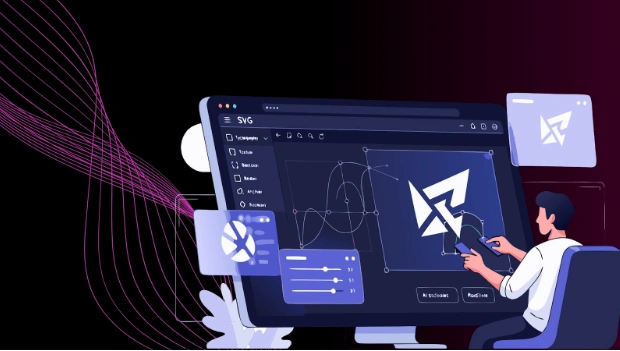
At the core of SVGMaker is a professional-grade SVG editor that launches instantly from any AI-generated image. This isn't a simplified toolset; it's a comprehensive vector editing suite that provides desktop-level control directly in your browser.
Core Drawing & Editing Capabilities
- Complete Shape Library: Rapidly compose designs with professional geometric tools—Rectangle, Circle, Polygon, Star, and more.
- Precision Path Tools: Create and manipulate complex shapes with Quadratic and Cubic Bézier curves, with full control point handles and an intuitive Arc tool.
- Freehand & Line Tools: Draw organic shapes with pressure-sensitive support or create clean diagrams with smart-snapping lines and arrowheads.
Advanced Typography & Text Control
- Direct on-canvas text editing integrated with Google Fonts.
- A dedicated typography panel for precise control over Font Family, Size, Weight, Style, Alignment, Line Height, and Letter Spacing.
Professional Object & Layer Management
- Intuitive Transformations: Move, resize (with aspect ratio lock), rotate, and flip objects with on-canvas handles.
- Smart Grouping & Alignment: Group objects (Ctrl+G), ungroup, and use precise alignment tools relative to the canvas or selection.
- Full Layer Control: Manage object stacking order with Bring to Front, Send Backward, and other z-ordering commands.
Production-Ready Features
- Comprehensive History: Full Undo/Redo (Ctrl+Z/Ctrl+Y) system for risk-free experimentation.
- Advanced Clipboard: Copy/Paste, Duplicate (Ctrl+D), and a special Style Copy/Paste to transfer visual attributes between objects.
- Automatic ROI: The editor intelligently detects your artwork's boundaries for clean, cropped exports, eliminating excess whitespace automatically.
The AI SVG Editor: A Creative Partner That Understands Language
This is where SVGMaker moves beyond traditional software. Its AI SVG Editor allows you to modify vector graphics using natural language, creating a paradigm shift in how designers work.
Transformative AI-Powered Features:
Prompt-Based Editing
Upload any SVG (from SVGMaker or elsewhere) and instruct the AI using plain English. For example: "Make this logo symmetrical, change the palette to monochrome blue, and add a subtle geometric background." The AI interprets and executes complex edits in seconds.
Instant Style Transformation
Apply complete artistic overhauls with one click. Transform a flat logo into Line Art, Engraving, Isometric, or even a Ghibli-inspired illustration. This is perfect for exploring brand directions or creating derivative assets for marketing campaigns.
Hybrid AI + Manual Workflow
This is SVGMaker's superpower. Use the AI for heavy lifting—radical style changes, color scheme swaps, adding elements. Then, seamlessly switch to the built-in online SVG editor for pixel-perfect refinements: adjusting anchor points, fine-tuning kerning, or perfecting alignment.
The Integrated End-to-End Workflow:
AI creates logo concepts
Refine with AI prompts
Manual fine-tuning
Clean SVG download
The 2026 SVG Editor Landscape: A Strategic Comparison
To understand where SVGMaker fits, it's helpful to view the landscape strategically. The best tool depends on your primary objective.
| Editor | Primary Strength & Ideal User | Key Consideration for Branding |
|---|---|---|
| SVGMaker | Integrated AI-to-Precision Workflow. Ideal for entrepreneurs, digital sellers, marketers, and designers who value rapid iteration and a complete, browser-based toolkit. | Excellent. Uniquely provides a full cycle from AI ideation to professional-grade manual editing. Exceptional for creating and adapting logos for digital platforms (web, social, merch). |
| Adobe Illustrator | Industry-Standard Depth & Print Mastery. The essential tool for professional graphic designers and agencies where absolute control and complex print preparation are required. | Excellent. The comprehensive benchmark. Its learning curve and cost are justified for high-stakes, multifaceted brand systems. |
| Figma | Real-Time Collaboration & UI/UX Focus. The go-to for product teams and UI/UX designers building digital products where logos are part of a larger interactive system. | Very Good. Powerful vector tools in a collaborative environment, though its core ecosystem is optimized for interface design, not standalone brand identity creation. |
| Inkscape | Powerful, Free Open-Source Desktop App. Perfect for hobbyists, students, and professionals on a budget who need deep capabilities without subscription costs. | Excellent. A testament to open-source power. It requires download and offers a traditional, powerful desktop workflow akin to Illustrator's. |
Your Decision Framework: Choosing the Right SVG Tool
Choose your SVG editor based on three essentials:
Output Medium
- Digital-first branding: Online tools like SVGMaker offer speed and clean SVG exports.
- Print-centric work: Desktop software such as Adobe Illustrator or Affinity Designer provides better prepress control.
Workflow
Skill & Budget
- Beginners: Start free with SVGMaker or Inkscape.
- Professionals: Use Illustrator as a base and add AI SVG tools like SVGMaker for faster concept development.
Frequently Asked Questions
What are the best free SVG editors for professional logo design?
Inkscape, SVGMaker and Boxy SVG are the most powerful and capable free SVG editors for professional-grade work, with advanced paths and exports.
Is it professional to use an AI-generated logo for my business?
Yes, provided you use the right tool. With SVGMaker, you own the commercial rights to the logos you create on premium plans. The key is to use the AI as a starting point, not a final product. The integrated manual editor allows you to refine, customize, and perfect the AI output, ensuring your logo is unique and tailored. This hybrid approach is both professional and efficient.
My SVG looks perfect in the editor but blurry on my website. What's wrong?
This is almost never a file issue from a proper editor. It's typically a front-end implementation problem. Common causes include: 1) Setting the SVG's width/height with CSS in a way that distorts its aspect ratio, or 2) Not allowing the SVG to scale natively by applying restrictive CSS. A clean SVG exported from SVGMaker, Illustrator, or Inkscape will be crisp if embedded correctly in HTML.
How important is it to convert text to outlines in a logo?
Converting text to vector paths (outlines) ensures your logotype appears exactly as designed, regardless of whether the specific font is installed on a client's, printer's, or user's device. It's a final step that guarantees typographic consistency. Both SVGMaker's manual editor and all major desktop applications provide this function.
Can I use an online SVG editor for client logo work?
Yes, tools like Figma, Penpot, and SVGMaker are robust enough for professional SVG logo design, offering collaboration and export features.
What does an AI SVG editor do?
An AI SVG editor like SVGMaker can help generate ideas, convert sketches/raster images to vectors, or suggest colors, but human creativity and refinement remain crucial for a unique brand logo.
Is Adobe Illustrator still the best SVG editor?
For print-to-web versatility, yes. However, for web-optimized branding, many designers now prefer lighter, faster tools like Figma or AI-driven platforms like SVGMaker.
Can I edit an existing company logo with an AI SVG editor?
A core feature of SVGMaker's AI editor is prompt-based editing of any uploaded SVG. You can modernize an old logo by instructing the AI to "simplify the shapes," "update the color scheme to gradients," or "create a minimalist version." This is a powerful way to refresh branding without starting from scratch.
Conclusion: Matching the Editor to Your Branding Needs
For the Aspiring Solopreneur
Start with powerful free tools like Inkscape or collaborative online platforms like Penpot.
For the Professional Designer or Agency
Industry standards like Illustrator or Figma provide unmatched control and integration. For revolutionary speed in ideation and client revisions, incorporating an AI SVG editor like SVGMaker into your workflow is a game-changer.
For the Tech-Focused or Future-Oriented Team
Platforms that blend collaboration with cutting-edge technology lead the way. SVGMaker exemplifies this, combining a free professional online SVG editor with AI-powered generation and editing capabilities.
The best SVG editor for your brand ultimately depends on your specific needs, workflow preferences, and budget. Whether you choose a traditional desktop powerhouse like Adobe Illustrator, a collaborative platform like Figma, or an AI-integrated solution like SVGMaker, the key is selecting a tool that empowers you to create scalable, professional logos that will represent your brand flawlessly across every medium in 2026 and beyond.
