9 Best Recraft Alternatives for Indie Brands: Vector & Image Tools (2026)
Which Recraft alternative is best for indie brands?
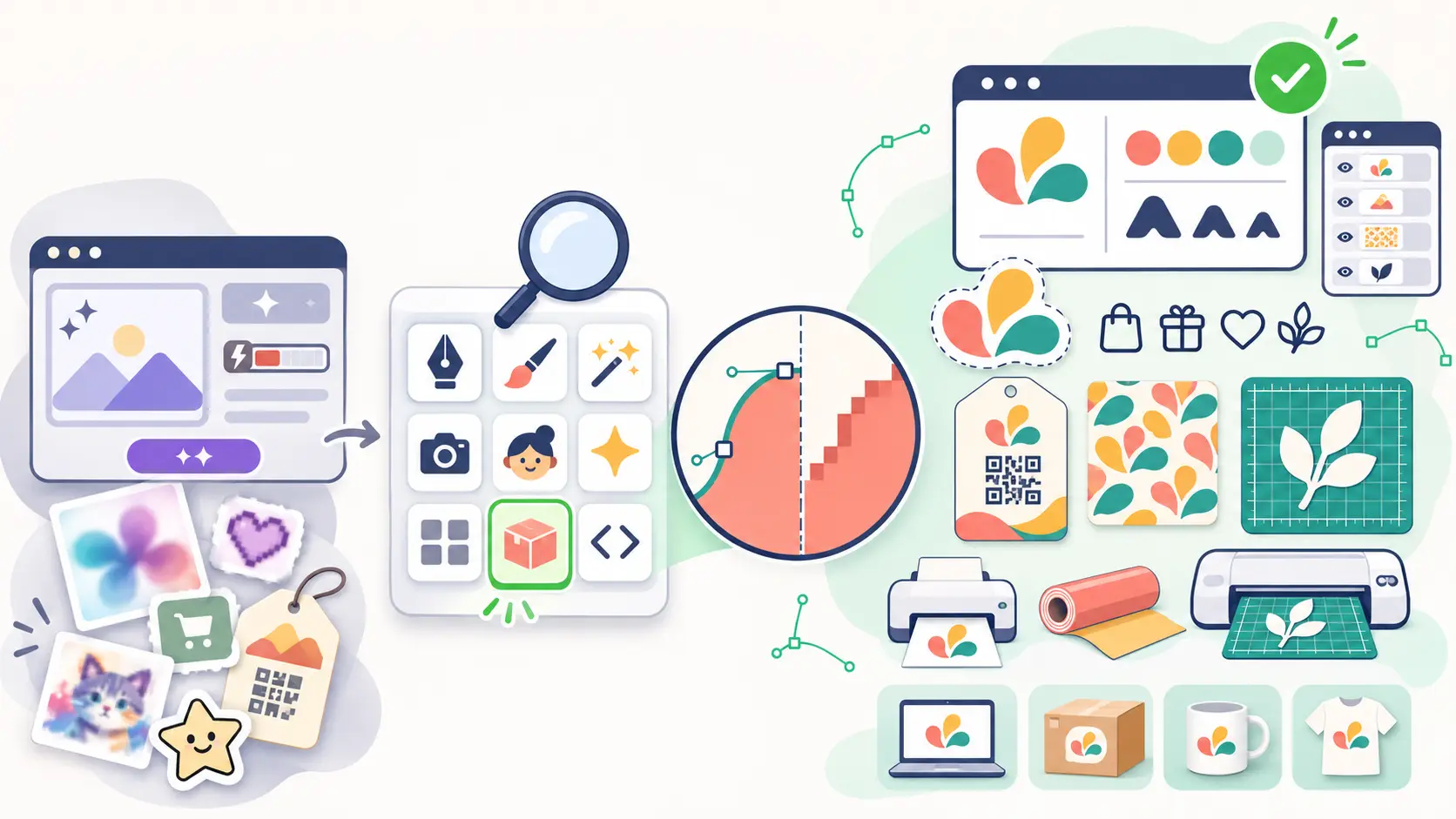
For an indie brand, the best Recraft alternative is the one that gives you editable SVG files by default, remembers your brand so every new asset matches the last one, and lets you finish each file for where it will actually live, whether that is a website, a sticker sheet, a vinyl cutter or a product label. SVGMaker does all three in one app, with a studio for each kind of file. Adobe Firefly generates vectors directly inside Illustrator, and Kittl pairs an AI Vector Generator with merch templates and a brand kit.
Recraft generates both raster images and vector SVGs, and its current V4.1 models include Vector and Pro Vector versions. So why do small brands look elsewhere?
Reviews point to the same few problems. On Trustpilot, users say retries burn through credits and that edits change parts of the image they did not ask to change. On G2, users say control over fine details could be better, and that matters before a file goes to print or a cutter.
For an indie brand, the last point matters a lot. You are often the designer, the marketer and the shop owner at once. Every asset has to work everywhere, and every asset has to look like it came from the same brand.
That consistency is worth real money. According to Marq's brand consistency report, consistent brand presentation can increase revenue by up to 23%.
So we compared nine tools on one question: which ones help a small brand create vectors and images that stay editable and stay on brand?
Here is the quick answer. A vector image is an SVG made of paths, so it stays sharp at any size and you can edit each shape. A raster image is made of pixels, like a PNG or JPG, and gets blurry when you enlarge it.
| Recraft alternative | Output type | Best for | Main thing to check |
|---|---|---|---|
| SVGMaker | Vector (SVG), with PNG and JPG exports | Every brand asset as editable SVG | The AI Design Agent needs a subscription, and commercial rights need a paid option |
| Adobe Firefly | Vector in Illustrator, raster in the Firefly app | Brands working in Illustrator | Text to Vector Graphic runs in Illustrator, which Firefly plans do not include |
| Kittl | Vector and raster | Merch and print on demand | The Free plan is for personal use only |
| Magnific AI | Raster, with vector icons only | Upscaling and polishing images | SVG output only from its AI Icon Generator |
| OpenArt | Raster, with vector only through Recraft V4 | Consistent characters and mascots | SVG output only through the Recraft V4 model |
| Leonardo AI | Raster only | Product and brand images | No SVG export listed |
| Canva AI | Raster AI images, SVG design download on paid plans | Weekly social content | SVG download needs a paid plan |
| Photoroom | Raster only | Product photos for online shops | Exports PNG, JPG, WebP and AVIF, not SVG |
| Quiver AI | Vector only | SVG generation through an API | App plans and API use are billed separately |
In this guide:
- Why are indie brands looking for a Recraft alternative?
- How did we review these tools?
- Which are the 9 best Recraft alternatives in 2026?
- How do the 9 tools compare side by side?
- What makes SVGMaker different from Recraft?
- What should you check before you switch?
- Frequently Asked Questions
- Which Recraft alternative should you choose?
Why are indie brands looking for a Recraft alternative?
Recraft is a general AI image and vector generator. Indie brands usually need more than a single image. Here are the points that come up most.
| Problem | What it looks like | Why it matters for an indie brand |
|---|---|---|
| Credits add up | A V4.1 vector image costs 4 credits and a V4.1 Pro vector costs 12, and subscription credits reset each month without rolling over | Retrying one logo many times uses a large part of a monthly allowance |
| Edits miss the brief | Trustpilot reviews report changes to parts of the design that were not part of the request | You can lose a version you already liked |
| No dedicated finishing tools | No dedicated tools for QR codes, barcodes or machine cut files | These jobs need separate tools |
If one or more of these sounds familiar, one of the tools below may fit your work better.
How did we review these tools?
We reviewed each tool as it stood in November 2026, using each company's own pricing and help pages where they were available.
Every tool was checked on six things that matter for a small brand:
- Real vector output. Does it give you a true, editable SVG, or a picture wrapped in a vector file?
- Brand consistency. Can you save colours, logos, fonts or styles so every new asset matches?
- Editing after generation. Can you fix a colour, a path or a word without starting over?
- Output range. Logos only, or icons, patterns, stickers, cut files and more?
- Commercial rights. Can you sell products that use the results?
- Price for a small budget. Is there a free plan, and what does a paid plan include?
Which are the 9 best Recraft alternatives in 2026?
1. SVGMaker: Best for indie brands that need editable SVG for everything
SVGMaker's main product is app.svgmaker.io, one all in one application where you chat with an AI Design Agent and finish every result in a studio built for it. You describe what you need, and the agent plans the job and delivers editable SVG logos, icons, illustrations, characters, patterns, stickers, cut files, QR codes and full icon or illustration packs. Brand kits, styles, projects, a Library, prompt templates and an SVG editor all live in the same app, so your whole brand stays in one place.
Output type: Vector. Results are editable SVG files, and paid options also export them as PNG, JPG and other formats.
Key features:
- AI Design Agent in a chat. Describe your brand in plain English. The agent plans, designs and delivers finished files, and you refine them by asking for changes.
- Brand kits. Add your logo, colours and fonts, upload a brand book, or ask the agent to create them. Every Design Agent design in that chat then follows the kit. Starter includes 1 brand kit, Basic 3 and Pro unlimited.
- Styles. Pick a ready made style from the style library, or create your own from reference pictures or a description, so a whole set shares one look.
- Dedicated studios for each output. Icon Studio, Character Studio, Pattern Studio, Sticker Studio, Cut Studio, Cricut Studio, Pixel Studio, QR Studio, Barcode Studio and Animation Studio each open the right file in a focused editor.
- Full SVG editor. Open any SVG result in the built in SVG editor to change paths, shapes, colours and text by hand.
- Projects and Library. Every deliverable is saved, searchable and grouped by project.
- Many export formats. Paid plans and credit packs export SVG, PNG, JPG, PDF, EPS, DXF, AI and SVGZ.
- Developer access. Figma and Framer plugins, the SVGMaker API, a Design Agent API and an MCP server for tools like Claude Code, Cursor and VS Code.
Pricing: A free plan gives sign up credits plus a daily credit top up for AI SVG generation, editing and conversion, using low quality models. Free generations may appear in the public gallery and do not include commercial rights. The AI Design Agent, projects, styles and brand kits come with the paid Starter, Basic and Pro plans. Credit packs are a one time payment for the SVGMaker API, the Design Agent API and the MCP server, without the AI Design Agent on the website. Both plans and packs add medium and high quality models, private generations and commercial rights.
Pros:
- One app for chat, design, editing and every studio
- Editable SVG is the default output, not an extra step
- Brand kits and styles apply to every Design Agent design in a chat
- Ten studios, covering icons, characters, patterns, stickers, cut files, Cricut files, pixel art, QR codes, barcodes and animation
- API access and MCP integration with Claude for automated vector workflows
- Figma plugin for generating SVG graphics and vector logos directly in Figma
Cons:
- The AI Design Agent and commercial rights are not on the free plan
- The free plan uses low quality models only
- Photo and video work is not its focus
Verdict: Fits founders launching a new brand who need a logo, an icon set, stickers, packaging QR codes and cut files from one brand kit.
2. Adobe Firefly: Best for brands already using Creative Cloud
Adobe Firefly is Adobe's family of generative AI models and apps. For vector work, the Text to Vector Graphic feature inside Illustrator creates editable vector artwork from a prompt, right on your artboard. The Firefly app also offers partner models from other companies alongside Adobe's own.
Output type: Vector and raster. Text to Vector Graphic in Illustrator makes vector artwork, and the Firefly app makes raster images.
Key features:
- Text to Vector Graphic in Illustrator for scenes, subjects and icons, plus a separate Generate Patterns feature for vector patterns
- Generative Recolor in Illustrator to recolour existing artwork from a text prompt
- Style reference, using an uploaded image or artwork in your document, to match an existing look
- Adobe states that Firefly models are trained on licensed content and public domain content where copyright has expired
Pricing: A free plan with daily generations that refresh each day, then Firefly Standard at $9.99 per month (2,000 credits), Pro at $19.99 (4,000), Pro Plus at $49.99 (10,000) and Premium at $199.99 (50,000). Firefly plans do not include Illustrator, which needs its own Illustrator or Creative Cloud plan.
Pros:
- Vectors are created inside Illustrator, ready to edit
- Adobe states that outputs from its own Firefly models are safe for commercial use
Cons:
- Text to Vector Graphic runs inside Illustrator, so you need an Illustrator or Creative Cloud plan for it
- Adobe notes that you are responsible for checking whether partner model outputs suit your project
Verdict: Fits small studios that already work in Illustrator and pay for Creative Cloud.
3. Kittl: Best for merch and print on demand designs
Kittl is a browser based design platform with templates and mockups for merch, packaging, logos and social posts. Its AI Vector Generator creates vector output with editable paths that you can download as SVG, and Brand Studio stores your logos, colours and fonts as a brand kit.
Output type: Vector and raster. The AI Vector Generator makes vector paths, and a separate AI Image Generator makes raster images. Vector export needs a paid plan.
Key features:
- AI Vector Generator with editable paths and SVG download
- Brand Studio, which can build a brand kit from your website URL or product photos
- AI Workflows for merch, marketing and video
- Commercial licence on Pro and Expert for up to 500,000 copies of a design
Pricing: Plans are Free, Pro, Expert and Max, plus Business plans. Prices vary by billing period and promotion, so check Kittl's pricing page for the current figures.
Pros:
- Every plan, including Free, can build and keep a brand kit
- Templates and print on demand presets for merch sellers
Cons:
- The Free plan is for personal use only, with no commercial rights
- High resolution and vector exports are listed as paid plan features
Verdict: Fits sellers making shirts, posters, labels and stickers from templates.
4. Magnific AI: Best for upscaling and polishing brand imagery
Magnific began as an AI upscaler and was acquired by Freepik in 2024. In April 2026 Freepik took the Magnific name for the whole company, and relaunched as one platform for image, video, audio and 3D, with collaborative Spaces and a stock library of more than 250 million assets.
Output type: Raster. Its image tools work in pixels, and the only vector output is from the AI Icon Generator.
Key features:
- Image Upscaler up to 10K resolution
- Relight and style transfer tools
- AI Icon Generator with SVG download
- Spaces, a shared canvas for building workflows
- MCP and API access
Pricing: No free plan. Premium is $20 per month, or $14.50 per month billed yearly. Brand Kit is included in all paid plans.
Pros:
- Upscaling, editing and background removal in one platform
- Stock library of photos, vectors, icons, templates, mockups and fonts
Cons:
- SVG output only from the AI Icon Generator, with no general AI vector illustration generator
- No free plan
Verdict: Fits brands polishing product photos and illustrations, not building a logo or icon set.
5. OpenArt: Best for consistent characters and mascots
OpenArt is an AI platform that gives access to over 100 image, video and audio models in one account. Each plan includes a set number of consistent characters, which keep a mascot looking the same across many images and videos.
Output type: Raster. Most models make pixel images, and SVG is only available through the Recraft V4 model.
Key features:
- Consistent characters, with a character limit on each plan
- Access to 100+ image, video and audio models
- Image and video creation in one account
Pricing: No free plan, but a 7 day trial with 40 credits and no card needed. Starter is $14 per month, or $13 per month billed yearly. Plus is $34 per month, Pro is $56 per month and Wonder is $240 per month, with lower per month prices on yearly billing.
Pros:
- Character consistency is part of every paid plan
- Many models to choose from in one place
Cons:
- SVG output only through the Recraft V4 model, and its other models give raster images
- Raster results need converting before use as cut files or vector logos
Verdict: Fits brands built around a mascot or character. Pair it with a vector tool for logos and print files.
6. Leonardo AI: Best for brand images and product concepts
Leonardo AI is an image and video platform owned by Canva. It builds its own models, Lucid Origin, Lucid Realism and Phoenix, and also hosts models from other companies. Flow State lets you explore many variations of an idea, and Blueprints are ready to run AI workflows for common jobs such as product photography and brand mockups.
Output type: Raster only. No SVG or vector export is listed.
Key features:
- Lucid Origin, Lucid Realism and Phoenix models
- Flow State for exploring variations
- Blueprints such as Product Photography, Brand Mockup and Furnish My Space
- Personal model training and up to 6 image guidance references on paid plans
Pricing: A free plan with 150 tokens a day, then Essential at $12 per month, Premium at $30 per month and Ultimate at $60 per month, before tax.
Pros:
- Premium and Ultimate include unlimited relaxed image generation on selected models
- Blueprints for product scenes and brand mockups
Cons:
- SVG or vector export is not listed on its plans
- Free plan creations are public
Verdict: Fits brands that need product shots and social images. It does not replace Recraft's vector side.
7. Canva AI: Best for everyday social and marketing content
Canva's AI tools include Magic Design, which creates a set of designs to start from, and a Brand Kit that keeps your logos, colours and fonts inside the editor.
Output type: Raster AI images. Finished designs can be downloaded as SVG on paid plans.
Key features:
- Magic Design for social posts, presentations and flyers
- Brand Kit with logos, colour palettes and fonts
- Large template library and team sharing
- SVG download, which keeps graphics sharp at any size
Pricing: A free plan, then Canva Pro. The Pro price depends on your region and billing period, so check Canva's pricing page.
Pros:
- Brand Kit colours and fonts appear right in the editor
- Templates for most social and marketing formats
Cons:
- Uploading brand logos and fonts, and more than one colour palette, need Canva Pro or another paid plan
- SVG download needs Canva Pro, Teams, Education or Nonprofits
Verdict: Fits small teams posting social content every week. For logos and print ready vectors, pair it with a dedicated SVG tool.
8. Photoroom: Best for product photos for online shops
Photoroom is an AI photo and video editor built for ecommerce. It removes backgrounds, places products in new AI scenes and resizes the results for each marketplace. It runs on the web, on iPhone, iPad, Mac and Android, as a Shopify app and through an API.
Output type: Raster only. Exports are PNG, JPG, WebP and AVIF.
Key features:
- Background Remover, Background Generator and AI Shadow
- Batch mode to edit many product photos at once
- Brand Library for logos, colours and fonts, on paid plans
- AI Product Photography, AI Fashion Models and Virtual Try On
- Instant Resize and Marketplace Sync for listings
Pricing: A Free plan for personal, non commercial use. Paid plans are Pro (8,000 AI credits and 1,000 exports a month), Max (25,000 credits and 3,000 exports, plus video ads and Shopify integration) and Ultra (75,000 credits and 10,000 exports, plus 4K images), with Enterprise on custom pricing. Prices depend on billing period, so check Photoroom's pricing page.
Pros:
- Background removal and AI scenes made for product listings
- Apps on web, iOS, Mac and Android, plus a Shopify app
Cons:
- Exports PNG, JPG, WebP and AVIF, with no SVG or vector export listed
- The Free plan is for personal, non commercial use only
Verdict: Fits shop owners who need clean product photos for marketplaces. Pair it with a vector tool for logos, icons and print files.
9. Quiver AI: Best for developers who want SVG from an API
Quiver AI makes models built for SVG. Its Arrow 2 model creates SVGs from text or images, edits them, animates them and vectorizes raster pictures. Arrow 2 Telos, its most capable model, is built for more complex SVG work.
Output type: Vector only. Every result is an SVG.
Key features:
- Text to SVG and image to SVG
- SVG editing and animation from prompts
- A developer API with token based pricing
- A web app at app.quiver.ai
Pricing: App plans are Go at $8 per month, Plus at $20 per month and Pro at $40 per month. API use is billed separately: Arrow 2 costs $4 per million input tokens and $20 per million output tokens.
Pros:
- Focused on SVG generation, editing and animation
- An API for adding SVG generation to your own product
Cons:
- App plans and API use are billed separately
- No raster photo or video tools
Verdict: Fits developers adding SVG generation to an app or website.
How do the 9 tools compare side by side?
| Tool | Best for | Output type | Brand memory | Free plan | Starting paid price |
|---|---|---|---|---|---|
| SVGMaker | Every brand asset in editable vectors | Vector, SVG by default | Brand kits and styles | Yes, low quality models | Starter, Basic and Pro plans |
| Adobe Firefly | Illustrator users | Vector in Illustrator, raster in the Firefly app | Style reference | Yes | $9.99/month |
| Kittl | Merch and print on demand | Vector and raster, vector export on paid plans | Brand Studio | Personal use only | See Kittl pricing |
| Magnific AI | Upscaling and relighting | Raster, vector icons only | Brand Kit on paid plans | No | $14.50/month yearly |
| OpenArt | Consistent characters | Raster, vector only through Recraft V4 | Consistent characters | 7 day trial | $14/month |
| Leonardo AI | Brand images | Raster only | Personal models, image guidance | Yes | $12/month |
| Canva AI | Everyday marketing content | Raster, SVG design download on paid plans | Brand Kit | Yes | See Canva pricing |
| Photoroom | Product photos for shops | Raster only (PNG, JPG, WebP, AVIF) | Brand Library on paid plans | Yes, personal use only | See Photoroom pricing |
| Quiver AI | SVG through an API | Vector only | Not listed | No | $8/month |
What makes SVGMaker different from Recraft?
Recraft gives you a vector or an image. SVGMaker treats the SVG as the start of the job, not the end. Logos, icons and illustrations come back as editable SVG. QR codes and barcodes are computed as SVG code, not drawn by an image model, and the Design Agent draws pixel art on an exact pixel grid.
What does app.svgmaker.io give you in one place?
Everything happens inside one application, app.svgmaker.io. You start a chat with the AI Design Agent, attach references, pick a brand kit or a style, and the agent delivers the files. From there, each result opens in the studio built for it. Projects keep chats grouped, the Library keeps every file you made, and a template library gives you ready made prompts to start from.
Does it keep a small brand consistent?
Yes. A brand kit holds your logo, colours, fonts and brand book, and once a chat uses a kit, every Design Agent design in that chat follows it. Styles add a second layer: a saved look, built from your own reference pictures or a description, that keeps a whole icon pack looking like one family.
Which studios come with it?
Each studio opens one kind of file with the controls that file needs:
| Studio | What an indie brand uses it for |
|---|---|
| Icon Studio | Styling website and app icons with shape, background, padding, effects and colours |
| Character Studio | Recolouring, hiding and reordering every view of a brand mascot |
| Pattern Studio | Recolouring seamless tiles for packaging, wrapping paper and fabric, with a preview of the repeat |
| Sticker Studio | Sticker borders, colours and cut lines for print and cut |
| Cut Studio | One colour silhouettes sized for a machine mat |
| Cricut Studio | Layered cut files with machine, material and mat settings |
| Pixel Studio | Pixel art for games, emotes and retro merch |
| QR Studio | Branded QR codes for labels and packaging, with a warning when colours are too close to scan |
| Barcode Studio | Product barcodes with a check that blocks bad codes |
| Animation Studio | Playing, retiming and recolouring animated SVG icons |
Can you edit the result without starting over?
Yes, in three ways. Ask the agent for a change in plain English. Open the file in the SVG editor and move paths, shapes and text by hand. Or open it in the studio built for that type of file. Each visit to the editor or a studio comes back to the chat as a new version, so the earlier one is not lost.
What should you check before you switch?
Moving away from Recraft is easier when you test a new tool on real work first. Check these five things before you pay for a plan.
- Your remaining Recraft credits. Recraft subscription credits reset each month and do not roll over, so use what is left before your plan renews.
- The final file format. If you need SVG for a website, a cutter or a printer, confirm the tool exports SVG and not only PNG or JPG.
- The licence on your plan. Free plans on Recraft, SVGMaker, Kittl and Photoroom do not include commercial rights, so check the plan before you sell anything.
- Your brand files. Keep your logo, colour codes and fonts as your own files, so you can load them into the new tool's brand kit on day one.
- A five asset test. Make the same five assets you made last month, such as a logo, an icon, a sticker, a social post and a label, and count how many tries each one takes.
Frequently Asked Questions
1. What is the best free Recraft alternative?
SVGMaker's free plan includes AI SVG generation, editing and conversion with a daily credit top up, so you can test real SVG output before you pay. It uses low quality models and does not include commercial rights, so it suits trying ideas rather than finished products. Adobe Firefly, Leonardo AI, Canva and Photoroom also have free plans. Leonardo and Photoroom do not list SVG export, and Canva's SVG download needs a paid plan.
2. Which Recraft alternatives create real editable SVG files?
SVGMaker, Adobe Firefly (inside Illustrator), Kittl and Quiver AI all create vector output. Magnific AI gives SVG only from its AI Icon Generator, and OpenArt only through the Recraft V4 model. Leonardo AI and Photoroom do not list SVG generation, so their results need converting before you use them as vectors.
3. Can I sell products made with these tools?
It depends on the tool and plan. SVGMaker includes commercial usage rights on paid plans and credit packs, not on the free plan. Recraft's free outputs are not licensed for commercial use, and the free plans of Kittl and Photoroom are for personal use only. Always check each tool's licence, and run a trademark search before you register a logo.
4. Which tool has dedicated tools for Cricut and cutting machines?
SVGMaker has a Cut Studio and a Cricut Studio with machine, mat, material and size settings, and paid plans export DXF.
5. Is Recraft still worth using in 2026?
Recraft V4.1 generates raster images and vector SVGs, and its V4 Styles can apply a look from your own reference images. The alternatives above fit better if you need a brand kit across many assets, or dedicated tools for print, cutting and packaging.
6. Which tool keeps a whole set of icons looking the same?
SVGMaker applies a brand kit and a saved style to every Design Agent design in a chat. Adobe Firefly's style reference, Kittl's Brand Studio, Magnific's Brand Kit and Canva's Brand Kit also help keep designs on brand.
Which Recraft alternative should you choose?
Choose by the file you need at the end, not by the demo.
| If you need | Choose |
|---|---|
| Every brand asset in editable SVG, from logo to cut file | SVGMaker |
| Vectors straight inside Illustrator | Adobe Firefly |
| Shirts, posters and stickers from templates | Kittl |
| Sharper, relit product photos | Magnific AI |
| A mascot that looks the same in every scene | OpenArt |
| Product and lifestyle images | Leonardo AI |
| Weekly social content | Canva AI |
| Clean product photos for marketplace listings | Photoroom |
| SVG generation inside your own app | Quiver AI |
For an indie brand, the deciding question is simple: will this file still work when you need it on a website, a sticker, a label and a cutting machine? If the answer has to be yes every time, start with SVGMaker and build your whole brand in one app.