Top 7 Free Image Converters in 2025-26
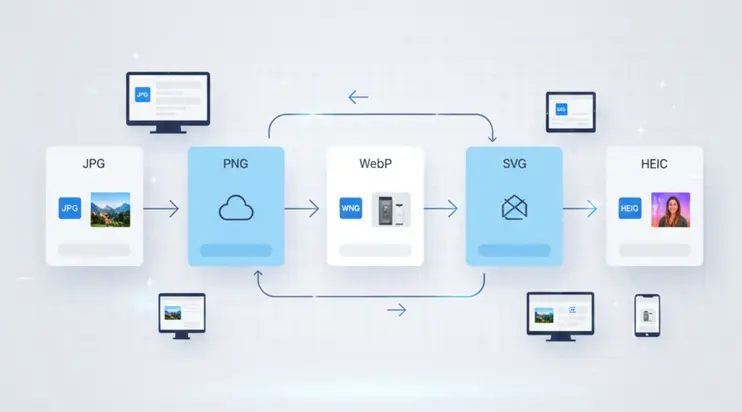
Almost everyone who works with digital content needs an image converter at some point. You might need to change a file format for a website, prepare an image for printing, reduce file size, or turn a photo into something more flexible.
No matter the reason, a good image converter makes the process faster and easier. The challenge is that many converters claim to be free but come with limits or confusing steps.
The good news is that there are several tools that truly help you convert images quickly without forcing you to install software or learn complicated settings. In this guide, we are looking at the top 7 free image converters in 2025-26. These tools were chosen for their speed, ease of use, reliability, and support for many formats.
Quick Comparison Between The Free Image Converters
Here is a simple overview to help you see what each tool does best.
| Tool Name | Best For | Free to Use |
|---|---|---|
| SVGMaker | Clean SVG output for scalable web graphics | Free credits |
| Convertio | Fast file conversion across many formats | Yes |
| Online Convert | Handling large TIFF and RAW files | Yes |
| Adobe Express | Simple JPG and PNG conversions | Yes |
| CloudConvert | Multi format workflows and batch tasks | Limited free |
| TinyWow | Everyday simple conversions for beginners | Yes |
| ImageMagick Online | Technical editing and advanced control | Yes |
1. SVGMaker
This tool comes first because it is built for both flexibility and simplicity. It converts images directly inside your browser, which means you do not need to install anything or set up accounts. The tool is very helpful for anyone working on websites, apps, or digital graphics. It is especially strong if you need to convert files into SVG, PNG, TIFF, AVIF, GIF or standard web friendly formats. Also have an AI SVG converter that lets you convert any image to svg with just a prompt.
Why it stands out
Fast processing
Easy to use
Helps prepare graphics for responsive layouts
Produces clean results suitable for design and development
Best for
People who need SVG files for icons, logos, and illustrations
Designers building responsive websites
Developers who need clean graphic outputs
2. ImageMagick Online
This tool is known for its deep technical power. ImageMagick has existed for many years as a command line tool, and the online version brings some of that capability into the browser. It supports many file formats and offers many adjustment options.
Pros
Very flexible with formats
Works well for large or complex images
Gives you control over compression, size, and color
Cons
Not a beginner friendly interface
Some features may feel overwhelming for simple tasks
3. Convertio
Convertio is one of the most popular cloud based converters. It is simple, clean, and fast. You upload a file, choose the output, and download it. There is no need to know anything about image settings. The free tier handles many daily tasks easily.
Best for
Everyday conversions
People who want a quick and simple process
Users who switch between different file types often
4. Online Convert
This tool handles large files very well. If you have TIFF or RAW images, Online Convert often performs better than other free converters. It also gives you preset options for different uses, which can help when preparing images for blogs, presentations, or print.
Features
Accepts large high resolution uploads
Offers presets for quick setup
Works smoothly in the browser
Best use cases
Designers with large TIFF files
Photographers preparing images for online use
5. Adobe Express Free Tools
Adobe Express includes a basic set of converters for JPG and PNG tasks. It is simple and trusted, especially for people already familiar with Adobe products. The free tools are enough for resizing or switching between the most common formats.
Strengths
Easy for beginners
Clean interface
Good for standard conversions
Limitations
Smaller range of supported formats
Not suitable for technical adjustments
6. CloudConvert Free Tier
CloudConvert supports hundreds of formats. It is one of the most flexible tools in this list. The free tier has limits, but it works well for occasional use or small batches.
Why people use it
Supports a huge number of image formats
Works well in the cloud
Useful for multi format workflows
Limitations
Free tier has daily usage limits
Some advanced conversions require credits
7. TinyWow
TinyWow has become popular for its friendly interface. It offers many small tools for quick tasks. It is not specialized, but it works well for those who want a simple and clear conversion without advanced settings.
Strengths
Very easy to understand
Good for non technical users
Has many simple file tools
Limitations
Not ideal for professional workflows
Limited control over detailed outputs
Which Tool Is Best for You
Here is a simple way to decide which converter suits your needs.
| Your Need | Best Tool |
|---|---|
| Clean SVG for web graphics | SVGMaker |
| Advanced editing and control | ImageMagick Online |
| Fast everyday use | Convertio |
| Handling large files | Online Convert |
| Basic JPG and PNG | Adobe Express |
| Multi format workflows | CloudConvert |
| Simple beginner friendly tasks | TinyWow |
Each tool has a strength, and the right choice depends on your task. If you work with modern design, responsive layouts, or scalable graphics, an SVG output is often the best option. If you handle large photographs, Online Convert might fit better. For simple changes, TinyWow or Convertio is enough.
Frequently Asked Questions
1. Why do people use online image converters instead of software?
Online converters are fast, simple, and do not require installation. You can convert an image in just a few seconds from any device. This is easier than downloading large software programs, especially for quick tasks.
2. Can free image converters handle large files?
Some free tools can handle large files, but not all of them. For example, Online Convert is known for accepting big TIFF or RAW files. Other converters may limit upload size, so it depends on the platform.
3. Are free converters safe to use?
Most browser based converters process your file directly without storing it. This makes them safe for normal use. Still, for sensitive images, it is always good to choose trusted and well known tools.
4. Do online converters reduce image quality?
The results depend on the output format you choose. PNG and SVG keep sharp quality. JPG may compress the image slightly. Good converters try to preserve as much detail as possible.
5. Which converter is best for SVG output?
Tools that focus on vector graphics tend to produce cleaner SVG files. They work better for icons, logos, and illustrations. The blog highlights converters that handle SVG well.
6. Can I convert more than one file at a time?
Some converters support batch conversion, such as CloudConvert. Others only allow one file per upload. The free version of each tool may also limit batch features.
7. What is the easiest converter for beginners?
TinyWow and Convertio are very simple to use. Their steps are clear, and they do not require technical knowledge. They work well for people who want quick conversions.
8. What tool should I use for web design assets?
For scalable graphics like icons and logos, converters that support SVG output are the best choice. These tools help keep your images sharp on every screen size.
9. Do I need an account to convert images?
Most free converters do not require an account. Some platforms may ask you to sign up for extra features or higher limits, but basic functions usually work without registration.
10. Can these converters handle many different image formats?
Tools like CloudConvert and ImageMagick Online support a wide range of formats. They are ideal if you work with unusual or older file types. Simple converters usually focus on the most common formats like JPG, PNG, and SVG.
Conclusion
Image conversion is now a daily task for designers, developers, and even casual users. Having the right tool makes your work smoother and saves you a lot of time. The seven converters listed here cover different needs, from lightweight tasks to complex file handling.
We created SVGMaker to give people a simple way to convert images for modern web use. If you want fast and clean image conversion right in your browser, try SVGMaker today and see how easy it is to prepare your graphics for any project.
