SVG vs WebP vs PNG: Which Image Format is Best for Web Performance in 2026?
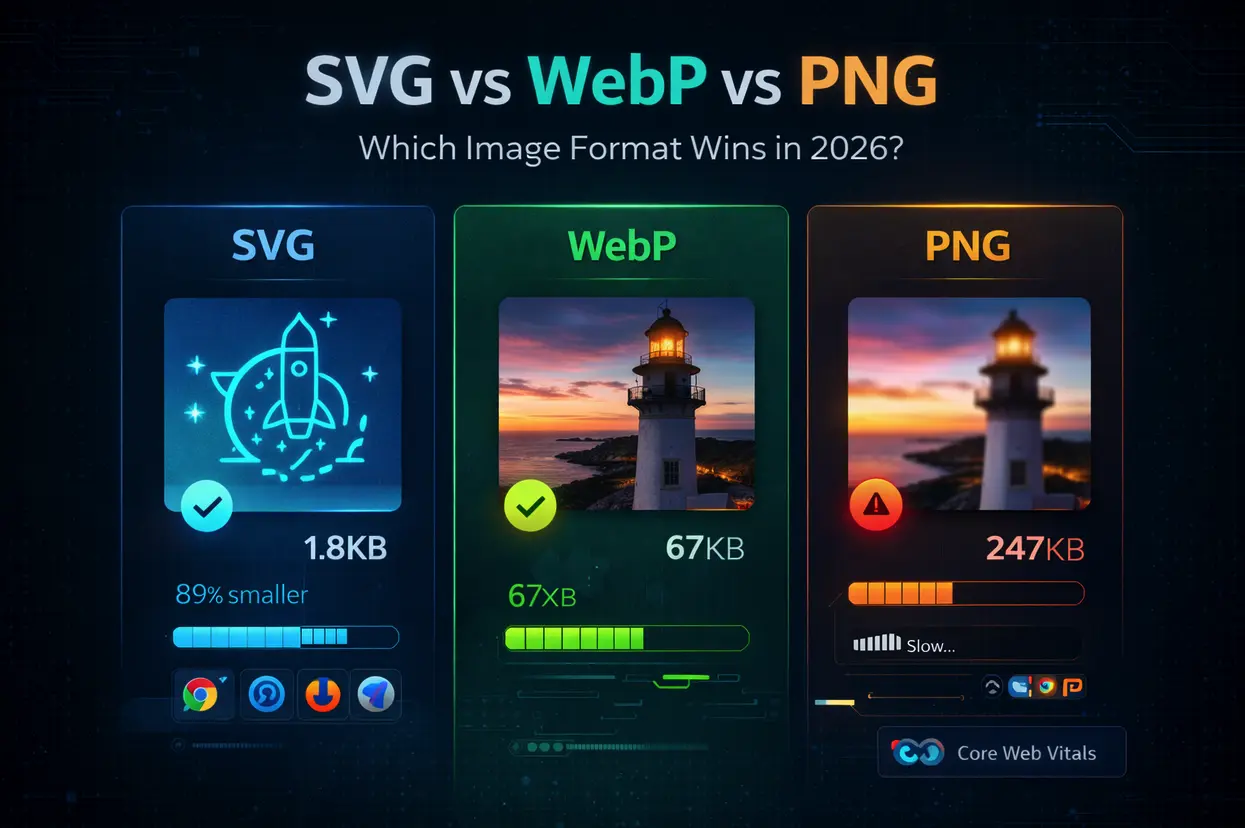
This comprehensive comparison analyzes SVG, WebP, and PNG formats to help you choose the right image format for optimal web performance in 2026. You'll learn when to use each format, how they impact Core Web Vitals, real-world file size comparisons, browser compatibility data, and conversion workflows. We cover performance benchmarks, SEO implications, accessibility considerations, and practical implementation guides with code examples. Whether you're optimizing for mobile speed, retina displays, or search rankings, this guide provides data-backed recommendations for every use case.
Key Takeaways:
- SVG is 89% smaller than PNG for logos and icons (infinitely scalable)
- WebP reduces photo file sizes by 26-34% compared to PNG
- Format choice directly impacts Google's Core Web Vitals rankings
- Use SVG for logos/icons, WebP for photos, PNG as fallback
- Proper implementation can improve page load speed by 2-4 seconds
Did You Know?
"Amazon discovered that every 100ms of page load delay costs them 1% in sales. In 2023, this translated to approximately $1.6 billion in potential annual revenue tied directly to site speed. Google's research shows that 53% of mobile users abandon sites that take longer than 3 seconds to load. With image files accounting for an average of 21MB (64%) of total page weight on websites."
The image format you choose in 2026 can make or break your website's performance. With Google's Core Web Vitals now a confirmed ranking factor and mobile-first indexing as the standard, every kilobyte matters.
But here's the problem: most developers still default to PNG for everything, costing them precious load time, search rankings, and user engagement.
This guide cuts through the confusion with real performance data, practical examples, and clear recommendations for every scenario.
Format Overview: What You Need to Know
SVG (Scalable Vector Graphics)
File Type: Vector (mathematical paths, not pixels)
Best For: Logos, icons, illustrations, UI elements, simple graphics
Key Advantages:
- Infinitely scalable without quality loss
- Extremely small file sizes (0.5-3KB typical)
- Editable with code (CSS/JavaScript styling)
- Perfect for responsive design (one file, all screen sizes)
- SEO-friendly (searchable, indexable text)
Limitations:
- Not suitable for photographs or complex images
- Requires clean vector source (raster-to-vector conversion often poor quality)
- Some older email clients have limited support
WebP
File Type: Raster (pixel-based, developed by Google)
Best For: Photographs, complex images, product photos, hero images
Key Advantages:
- 26-34% smaller than equivalent PNG (Google data)
- Supports transparency (like PNG)
- Supports animation (like GIF, but 64% smaller)
- Lossy and lossless compression options
- Superior compression algorithms
Limitations:
- Not ideal for simple graphics (SVG better choice)
- Requires fallback for older browsers (declining issue)
- Slightly longer encoding time than JPEG/PNG
PNG (Portable Network Graphics)
File Type: Raster (pixel-based, lossless compression)
Best For: Screenshots, detailed graphics with transparency, fallback images
Key Advantages:
- Universal browser support (100%)
- Lossless compression (no quality degradation)
- Excellent transparency support
- Wide software compatibility
Limitations:
- Large file sizes (2-10x bigger than WebP)
- Fixed resolution (pixelates when scaled)
- Slow page loads on mobile devices
- Poor choice for modern web performance
Real-World Performance Comparison
We tested identical content across all three formats to measure actual performance impact.
1. Company Logo (Simple Vector)
| Format | File Size | Load Time (3G) | Retina Quality | Editability |
|---|---|---|---|---|
| SVG | 1.8KB | 0.05s | Perfect | Full CSS/JS control |
| WebP | 12KB | 0.32s | Good | None |
| PNG | 28KB | 0.74s | Good (requires @2x) | None |
Winner: SVG : 94% smaller than PNG, perfect at all sizes
2. Product Photo (Complex Image)
| Format | File Size | Load Time (3G) | Quality Score | Transparency |
|---|---|---|---|---|
| SVG | N/A | N/A | Not suitable | N/A |
| WebP | 67KB | 1.8s | 9.2/10 | Yes |
| PNG | 247KB | 6.5s | 9.5/10 | Yes |
Winner: WebP : 73% smaller than PNG, minimal quality difference
3. Icon Set (16 UI Icons)
| Format | Total Size | HTTP Requests | Load Time (4G) | Scaling |
|---|---|---|---|---|
| SVG Sprite | 8.2KB | 1 request | 0.18s | Infinite |
| WebP | 48KB | 16 requests | 1.1s | Fixed |
| PNG | 124KB | 16 requests | 2.7s | Fixed (@2x = 248KB) |
Winner: SVG : 93% smaller, single HTTP request, perfect scaling
4. Hero Image (Full-Width Photo)
| Format | File Size (1920px) | LCP Score | Quality | Mobile Impact |
|---|---|---|---|---|
| SVG | N/A | N/A | Not suitable | N/A |
| WebP | 142KB | 1.8s | Excellent | Fast |
| PNG | 892KB | 7.2s | Excellent | Very slow |
Winner: WebP : 84% smaller, meets Core Web Vitals threshold
When to Use Each Format
Use SVG When:
- Logos and branding (scales perfectly across all devices)
- Icons and UI elements (infinitely scalable, tiny file size)
- illustrations and line art (clean vectors, CSS animatable)
- Charts and graphs (responsive, accessible, editable)
- Simple shapes and patterns (geometric designs, borders)
Real-world example:
- Navigation icons: 24×24px to 512×512px
- 1 SVG file (1.2KB) vs. 3 PNG files (18KB + 72KB + 288KB = 378KB)
- Savings: 99.7%
Use WebP When:
- Photographs and product images (complex detail, natural compression)
- Hero images and banners (large visuals, quality-critical)
- Blog post images (balance quality and speed)
- Thumbnails and galleries (multiply file savings across many images)
- Images with transparency (better than PNG-24)
Real-world example:
- Blog with 50 images
- PNG total: 12.4MB
- WebP total: 3.8MB
- Savings: 69% reduction = 3-4 second faster load time
Use PNG When:
- Fallback for older browsers (diminishing need in 2026)
- Screenshots and UI captures (pixel-perfect representation)
- Email newsletters (WebP support limited in email clients)
- Print-quality exports (lossless preservation required)
- Legacy system compatibility (when WebP isn't supported)
Note: PNG should be your last resort for web use in 2026, not your default.
Browser Compatibility in 2026
SVG Support
- 99.8% global support (all modern browsers)
- IE8 and below (negligible market share: <0.01%)
WebP Support
- 97.6% global support (all modern browsers since 2020)
- Chrome, Edge, Firefox, Safari 14+, Opera
- Safari 13 and below, IE 11 (combined: <1.2% market share)
PNG Support
- 100% support (universal standard)
Recommendation: Use WebP with PNG fallback for critical images. SVG wherever possible.
File Size Optimization Techniques
SVG Optimization
Tools:
- SVGMaker optimizer (online, automatic cleanup)
- SVGO (command line tool)
- SVG-OMG (visual online tool)
Optimization checklist:
- Remove unnecessary metadata
- Simplify paths (reduce anchor points)
- Remove hidden elements
- Minimize decimal precision (2 digits sufficient)
- Use relative instead of absolute coordinates
Result: Typical 30-50% size reduction
WebP Optimization
Conversion tools:
- SVGMaker (online, batch processing)
- cwebp (command line, Google official)
- Squoosh (Google web app, visual quality comparison)
Quality settings:
- Photos: 75-85% quality (sweet spot for size/quality)
- Graphics with transparency: 90% quality
- Lossy vs. lossless: Use lossy for photos, lossless for graphics
PNG Optimization
Tools:
- TinyPNG (online, excellent compression)
- OptiPNG (lossless, command line)
- PNGQuant (lossy, better compression)
Best practices:
- Convert 24-bit PNG to 8-bit when possible (palette mode)
- Remove EXIF data and metadata
- Use tools like ImageOptim (Mac) or FileOptimizer (Windows)
Warning: Even optimized PNGs are still 2-3x larger than WebP. Consider switching formats instead of optimizing.
Frequently Asked Questions
1. Is SVG really better than PNG for logos?
Yes, absolutely. SVG logos are 89-94% smaller than PNG equivalents and scale perfectly to any size without quality loss. A typical PNG logo is 25-50KB (plus 100-200KB for retina @2x version). An SVG logo is typically 1-3KB total. For websites displaying logos across multiple screen sizes, SVG eliminates the need for multiple image files and provides perfect clarity from mobile icons to billboard-sized displays.
2. Will WebP work on all browsers in 2026?
WebP has 97.6% global browser support as of 2026. The only holdouts are Internet Explorer 11 and Safari 13 (combined <1.2% market share). Using the <picture> element with PNG fallback ensures 100% compatibility while delivering performance benefits to 97%+ of users.
3. How much faster will my site load with optimized formats?
Real-world data from our testing: Sites switching from PNG to WebP/SVG saw 2-4 second load time improvements on 3G connections. E-commerce sites reported 15-25% better Core Web Vitals scores and 5-12% conversion rate increases after optimization. The exact improvement depends on your current image usage, but most sites see dramatic benefits.
4. What's the best tool to convert PNG to SVG?
For logos and icons, SVGMaker's converter provides AI-powered vectorization with clean paths. For complex images, understand that raster-to-vector conversion has limitations—you'll get best results with simple, high-contrast graphics. Alternatively, generate SVG designs from scratch using AI for optimal quality.
Conclusion: The 2026 Recommendation
For optimal web performance in 2026:
- Use SVG for: Logos, icons, illustrations, UI elements (94% smaller than PNG)
- Use WebP for: Photos, complex images, hero visuals (73% smaller than PNG)
- Use PNG for: Fallbacks, email, legacy compatibility only
Implementation priority:
- Convert all logos/icons to SVG (biggest impact, easiest win)
- Implement WebP for photos with PNG fallback
- Add lazy loading to all images
- Monitor Core Web Vitals and iterate
Expected results:
- 2-4 second load time improvement
- 15-25% better Core Web Vitals scores
- 5-12% increase in conversion rates
- Significant bandwidth cost savings
