Vectorize.io vs SVGMaker: AI Vectorization Accuracy Compared
Quick Summary
- Both Vectorize.io and svgmaker.io convert raster images to SVG, but they serve different user needs and produce noticeably different output quality.
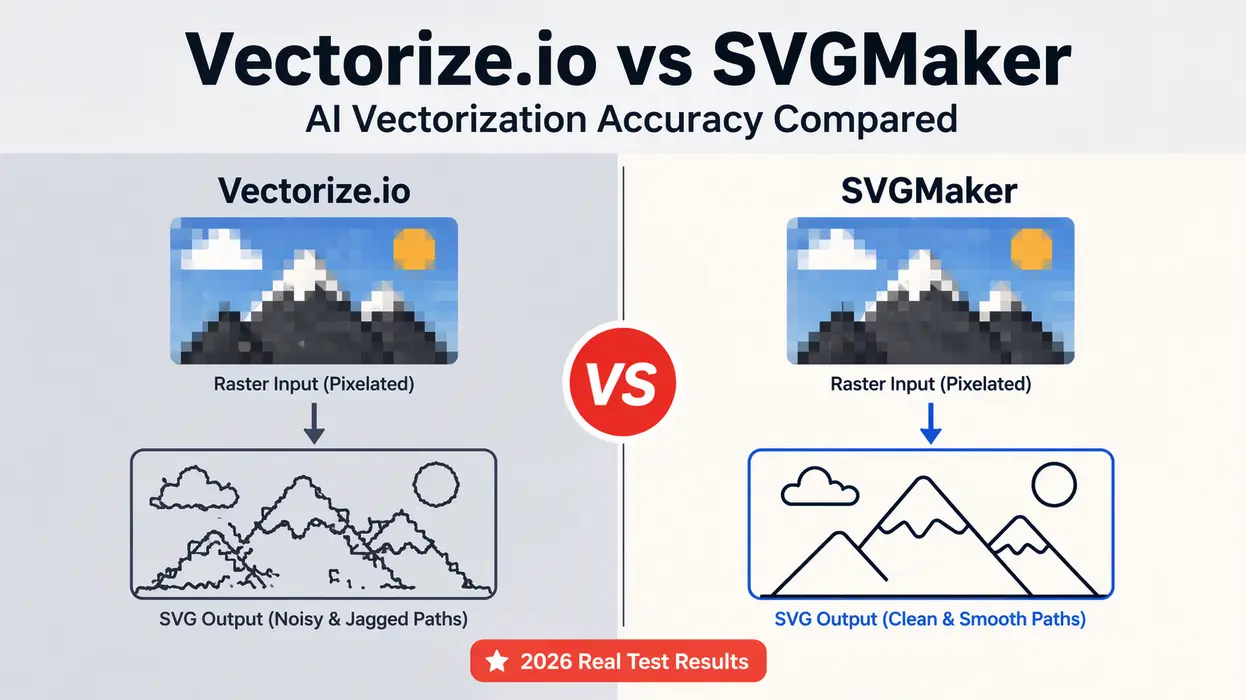
- SVGMaker outperformed Vectorize.io in path cleanliness, editability, and file size across three of four test categories.
- Vectorize.io preserved more raw detail in photo conversion but produced noisier, harder-to-edit output as a result.
- SVGMaker is an all-in-one platform: it generates, converts, edits, and exports SVG in one workflow. Vectorize.io is a single-function converter with no editing tools.
- For crafters, Etsy sellers, and beginners, SVGMaker is the more practical and complete choice.
- If you only need a quick one-step image conversion with no editing intent, Vectorize.io works for simple inputs.
Quick Feature Comparison Between Both Tools
| Feature | SVGMaker | Vectorize.io |
|---|---|---|
| Core Function | AI generation plus conversion | Image-to-SVG conversion only |
| Ease of Use | Very easy | Easy |
| Built-in Editor | Yes | No |
| Real-Time Code Editor | Yes | No |
| Text-to-SVG Generation | Yes | No |
| Output Quality | Clean and optimized | Good, varies by input |
| Workflow | All-in-one | Single function |
| Free Tier | Available | Limited |
| Best For | Creators, crafters, designers, beginners | Simple one-step conversions |
| Figma/Framer Integration | Yes | No |
What Each Tool Does
SVGMaker
SVGMaker is built as a complete AI SVG platform, not just a converter. It covers three distinct workflows: generating SVG from text prompts via the AI generator, converting raster images to SVG via the photo-to-SVG tool, and refining any SVG file through the built-in editor.
This means you can go from a rough idea or an existing image to a finished, export-ready SVG file entirely within one platform. The output is optimized for web use, cutting machines, and further editing in tools like Figma.
Vectorize.io
Vectorize.io is a focused, single-function tool. You upload a raster image, and it returns a vectorized SVG file. The process is straightforward and the interface is minimal. There are no editing tools, no generation features, and no post-conversion workflow built in.
It works well for users who need a quick conversion and plan to handle refinement in a separate application.
Testing Methodology
To produce a fair AI vectorization tool comparison, we used four image categories that represent the most common real-world conversion scenarios:
- A simple logo with sharp edges and limited flat colors
- A detailed photograph with gradients and fine detail
- A hand-drawn sketch with uneven, rough lines
- A complex illustration with multiple elements and varied colors
Each output was evaluated across four consistent criteria:
- Path cleanliness — Are the vector paths smooth, minimal, and well-structured?
- Color accuracy — Does the SVG faithfully represent the colors in the original?
- File size — Is the output lean enough for practical use?
- Editability — How easy is the resulting SVG to modify in an editor?
Test Results
Test 1: Logo Vectorization
Input: A clean logo with defined edges and a limited color palette.
| Factor | SVGMaker | Vectorize.io |
|---|---|---|
| Path Cleanliness | Very clean, minimal nodes | Clean but with slightly rough edges |
| Color Accuracy | Accurate | Accurate |
| File Size | Optimized | Slightly larger |
| Editability | Easy to edit in any tool | Limited flexibility |
Insight: Both tools handled the simple logo reasonably well, which is the use case most favorable to any vectorizer. SVGMaker produced cleaner path data with fewer redundant nodes, which matters when you plan to reuse or animate the file. For a logo destined for web use or the SVGMaker editor, the SVGMaker output required no cleanup at all.
Test 2: Photo Conversion
Input: A colorful photograph with gradients, shadows, and fine surface detail.
| Factor | SVGMaker | Vectorize.io |
|---|---|---|
| Detail Handling | Simplified but usable | More detail retained, but noisy |
| Color Accuracy | Balanced and consistent | Slight color distortion in gradients |
| File Size | Smaller | Noticeably larger |
| Editability | Easier to manage | Complex path clusters |
Insight: This is the one test where Vectorize.io's approach has a visible advantage if raw detail preservation is your priority. It captured more surface information from the photo. However, that detail came with a cost: heavier file size, noisier path clusters, and an output that is significantly harder to edit or adapt.
SVGMaker's simplified output lost some photographic nuance but produced a file that was immediately usable for design, web embedding, or cutting. For most practical applications, especially Cricut projects or web graphics, SVGMaker's version was the more workable result.
Test 3: Hand-Drawn Sketch
Input: A rough pencil sketch with uneven line weights and imperfect edges.
| Factor | SVGMaker | Vectorize.io |
|---|---|---|
| Line Smoothness | Smooth and refined | Jagged in several areas |
| Path Structure | Clean, well-organized paths | Irregular, fragmented paths |
| File Size | Optimized | Moderate |
| Editability | High | Medium |
Insight: SVGMaker performed clearly better on sketch input. It cleaned up the irregular lines and produced smooth, continuous paths rather than tracing every imperfection in the original. This is the behavior you want when converting a sketch to SVG for use in a design or cutting workflow.
Vectorize.io preserved the imperfections more literally, which is not useful when the imperfections are artifacts of the drawing medium rather than intentional design choices. SVGMaker's sketch-to-SVG tool is specifically built for this type of input, and the difference shows.
Test 4: Complex Illustration
Input: A detailed design with multiple overlapping elements, varied colors, and layered structure.
| Factor | SVGMaker | Vectorize.io |
|---|---|---|
| Structure Clarity | Organized, logical layers | Flattened into one layer |
| Color Accuracy | Consistent across elements | Slight mismatches in adjacent areas |
| File Size | Efficient | Heavy |
| Editability | High, elements accessible | Difficult, paths merged |
Insight: This is where the gap between the tools was most significant. SVGMaker produced a structured output with distinct, addressable elements. Vectorize.io flattened the illustration into a single dense layer, making individual edits nearly impossible without rebuilding the file from scratch.
For anyone working with complex illustrations destined for web use, Figma, or SVGMaker's color editor, the SVGMaker output was the only one that could be realistically used without major rework.
Workflow Comparison
One of the most meaningful differences between these tools is what happens after conversion. Converting an image to SVG is rarely the final step.
| Workflow Step | SVGMaker | Vectorize.io |
|---|---|---|
| Upload Image | Yes | Yes |
| AI-Assisted Conversion | Yes | Yes |
| Edit Output in Same Tool | Yes | No |
| Generate SVG from Text | Yes | No |
| Export to Web/Cricut | Yes | Yes |
| Figma Integration | Yes | No |
| API Access | Yes | No |
Vectorize.io ends at export. If your converted SVG needs any adjustment, you are opening a second tool. SVGMaker handles the full cycle in one place, which reduces friction and total time spent for most users.
Pricing Comparison
| Feature | SVGMaker | Vectorize.io |
|---|---|---|
| Free Tier | Yes, functional free plan | Limited |
| Paid Plans | Flexible tiers, multi-use | Credit-based, conversion focused |
| Editing Tools Included | Yes | No |
| Generation Tools Included | Yes | No |
| API Access | Yes | No |
| Overall Value | High for multi-use workflows | Narrow for conversion-only needs |
SVGMaker's pricing reflects a broader platform. Even at the free tier, you get access to generation, conversion, and editing. Vectorize.io's pricing is structured around conversion volume, which makes sense given its single-function scope.
Where Vectorize.io Holds Its Own
A fair comparison acknowledges where the competing tool performs well.
Vectorize.io has genuine strengths in specific contexts:
- It preserves more photographic detail in complex photo-to-SVG conversions, which can be useful when raw accuracy is more important than editability.
- Its interface is minimal and distraction-free, which some users prefer for quick one-shot conversions.
- It is fast for basic conversions with well-prepared source images.
If your workflow is: upload a clean, simple image and download an SVG immediately with no further editing, Vectorize.io covers that use case adequately.
Where SVGMaker Leads
Across the majority of real-world use cases, SVGMaker produced more usable outputs and offered a more complete workflow.
Key advantages that showed up consistently in testing:
- Cleaner path data with fewer redundant nodes across all test categories
- Better handling of sketches and hand-drawn inputs
- Structured, layered output for complex illustrations
- Smaller file sizes that perform better in web and cutting machine contexts
- Built-in editing, color adjustment, and code access without switching tools
- Text-to-SVG generation for when you do not have a source image at all
For users comparing this as a Vectorize.io alternative, the practical difference is not just output quality but total workflow efficiency.
Final Verdict
| Category | SVGMaker | Vectorize.io |
|---|---|---|
| Logo Conversion Accuracy | High | Moderate to High |
| Photo Conversion Accuracy | Moderate (cleaner) | High (noisier) |
| Sketch Conversion Accuracy | High | Moderate |
| Complex Illustration Accuracy | High | Low |
| Workflow Completeness | All-in-one | Single function |
| Ease of Use | Very easy | Easy |
| Post-Conversion Editing | Built-in | Requires separate tool |
| Best Use Case | Design, crafting, web production | Simple quick conversions |
Which Tool Should You Use?
The decision comes down to what you actually need from the output.
Choose SVGMaker if you:
- Need clean, edit-ready SVG files for web, Cricut, or design tools
- Work with sketches, logos, or complex illustrations
- Want to generate, convert, and edit SVG without switching platforms
- Are a beginner who needs a guided, visual workflow
- Need API access for programmatic SVG generation
Choose Vectorize.io if you:
- Need a quick, one-step photo-to-SVG conversion with maximum detail retention
- Have a clean, simple image and no plans to edit the output
- Are comfortable using a second tool for any post-conversion refinement
For most creators, Etsy sellers, developers, and crafters, SVGMaker is the more complete and practical choice. You can start with the free plan and run your own conversions to see the difference in output quality directly.
