How to Use APIs to Generate SVGs from Prompts Automatically
Automating SVG creation using text prompts via APIs is revolutionizing how designers and developers work with vector graphics. Instead of manually drawing every icon, illustration, or graphic element, you can now generate them programmatically with simple text descriptions.
Quick Summary
Purpose:
Automate SVG creation using text prompts via APIs
Best For:
Designers, developers, beginners, automation workflows
Key Steps:
- Get API access - Sign up & retrieve API key
- Write clear, concise prompt (e.g., "simple green check icon")
- Send API request with prompt + key
- Receive SVG code/file
- Edit/refine if needed
Main Benefits:
- Saves time (icons in seconds)
- Improves consistency across designs
- Enables large-scale/batch generation
- Reduces manual drawing work
- Beginner-friendly and automation-ready
Best Practices:
- Use short + descriptive prompts
- Define style (minimal, rounded, flat, etc.)
- Optimize SVG before use (cleanup, compression)
- Add accessibility tags if used on web
Advanced Uses:
Dynamic / data-driven SVGs, Personalized graphics in apps, Automated UI asset production
Top Recommendation:
SVGMaker API: easiest integration, prompt support, multiple formats (SVG, PNG, PDF)
What Is an SVG Generation API
An API is a set of instructions that lets two software systems talk to each other. In simple words, it is a helper that listens to your request and gives you something in return.
When you send a text prompt to an SVG generation API, it processes your message through an AI system. The AI reads your instructions and creates vector paths that match what you described. These paths become the final SVG file. You can then download it or place it directly inside your project.
This kind of automation is useful when you need a lot of graphics or when you want to experiment quickly. Instead of drawing everything by hand, you can generate a starting point and then refine it if needed.
Why Use an API?
APIs enable programmatic access to powerful AI tools, allowing you to integrate SVG generation directly into your applications, workflows, or automation scripts. This means you can create graphics on-demand without manual intervention.
How the SVG Generation Process Works
Here is the basic flow in simple language.
You write a prompt.
Describe what you want in simple words, like "blue star icon" or "minimal tree illustration".
The API reads your prompt.
Your request is sent to the server, which processes your text description.
An AI model converts the text into shapes and paths.
The AI interprets your description and generates vector paths that match your request.
The API returns the SVG code.
You receive the complete SVG file, ready to use in your project.
You render or download the file.
Use the SVG directly in your code, save it as a file, or import it into design tools.
That is all it takes. In most cases the result is clean and ready to use. If you need to refine it, you can open it in an editor and make small adjustments.
The Magic Behind It
Modern SVG generation APIs use advanced AI models trained on millions of vector graphics. They understand design principles, recognize common patterns, and can create clean, scalable SVGs that follow best practices automatically.
Step by Step Guide: How to Use an API to Generate SVGs Automatically
This guide is written for complete beginners. Even if you have never worked with an API you will understand these steps easily.
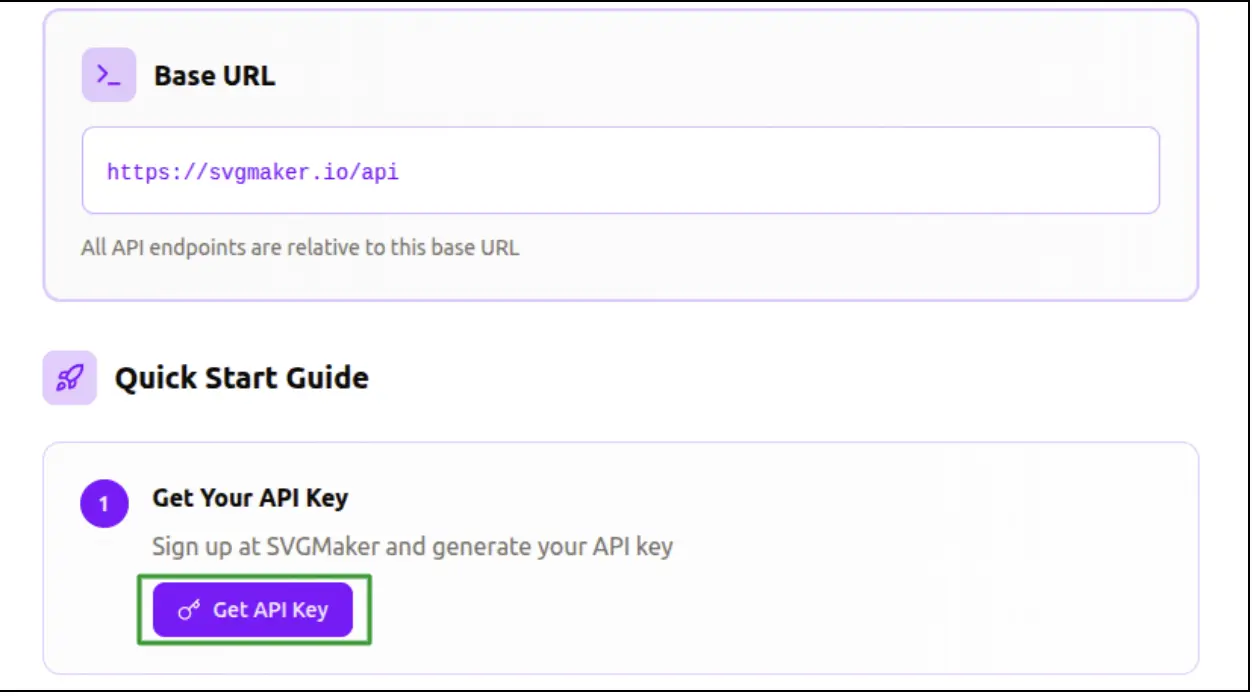
1Get API Access
The first step is to sign up on the platform and get an API key. Check out pricing plans to choose a plan with the right amount of credits for your usage needs.
An API key is a special code that identifies your account. You will use this key each time you send a request.
2Write a Clear Prompt
Your prompt should describe what you want. Here are some good examples:
- • Simple arrow pointing right
- • Minimal tree illustration with soft curves
- • Clean camera icon for an app
- • Blue star with rounded edges
Short prompts work well. Clear prompts work even better. You do not need long paragraphs. Just describe the idea in simple words.
3Make the API Request
An API request is like sending a small message to a server.
You include your API key and your prompt in the request. You do not need advanced programming. Even a simple request from a tool like Postman or a browser plugin works.
Once the request is sent, the AI creates your SVG.
4Receive and Use the SVG Output
The API returns the SVG in code form. You can do several things with it:
- • You can save the file
- • You can paste the SVG code directly into a website
- • You can import it into a design tool
- • You can send it to a team member
- • You can render it inside an app
The file will remain sharp at every size because SVG is a vector format.
5Edit the Result if Needed
After the API creates the SVG, you may want to make small changes.
You can open the file in an online editor and adjust colors, paths or text. This makes the workflow flexible and simple.
Pro Tip
Start with simple prompts and gradually add more detail as you get comfortable. The API works best when you're specific about style (minimal, rounded, flat) and color preferences.
Common Use Cases for SVG Generation APIs
There are many situations where API based SVG creation works better than manual design.
Creating UI icons for apps and websites
Building illustrations for onboarding screens
Generating craft files for cutting machines
Producing large sets of graphics quickly
Automating design tasks in a workflow
Helping teams that do not have full time designers
Replacing manual tracing
Supporting data driven graphics in apps
Developers often use SVG generation to make custom icons for each user. Designers use it to speed up projects. Small businesses use it to create branding assets on demand.
Common Problems and How APIs Solve Them
Even with automated graphics, you may encounter some common issues. Here's how to fix them quickly using simple prompt adjustments or post-processing techniques.
| Problem | Why It Happens | How APIs Solve It |
|---|---|---|
| SVG doesn't match the prompt | The instruction is vague or missing visual context | Write clearer prompts with style cues (e.g., "minimal flat-style house icon with straight edges" instead of "draw a house") |
| Too many details in the result | AI assumes complex illustration if no style is defined | Include words like "simple," "minimal," "flat," "outline," or "no shading" in the prompt |
| SVG output looks messy or hard to edit | AI-generated paths may include extra nodes or grouping | Use an online path editor to optimize vectors or auto-clean paths before final use |
| Need different formats (PNG, PDF, etc.) | SVG alone may not suit all platforms | Most SVG APIs (like SVG Maker) offer multi-format export directly from the request |
| Workflow feels slow or repetitive | Manual icon tweaking or downloading each file | Send batch prompts or integrate the API into your design/dev pipeline for instant bulk generation |
Benefits of Generating SVGs Through an API
Here are some reasons why more designers and developers now prefer API based SVG creation.
It saves time
You can generate an icon or illustration in seconds.
Even complex prompts produce clean results very quickly.
It improves consistency
If you want a full set of icons that all look similar, a prompt based workflow helps maintain a uniform style.
It reduces manual work
You do not need to trace images, draw shapes or clean up messy lines.
The AI handles the heavy work for you.
It scales easily
If you need 50 icons or 200 illustrations, an API can produce them in batches.
It works well for automation
Developers love APIs because they can integrate them into websites, apps or pipelines.
It helps both beginners and advanced users
Beginners get clean graphics without drawing skills.
Professionals save time and can focus on higher level design tasks.
Quick Comparison Table of Popular SVG Generation APIs
This list focuses on simple online options that create SVGs directly from prompts. For most people the first option is the most convenient because it does not require complex tools or advanced knowledge.
| API Name | Best For | Prompt Support | Output Formats | Ease of Integration |
|---|---|---|---|---|
| SVGMaker | All users | Yes | SVG, EPS, PS, DXF, PNG, AVIF | Very easy |
| Figma API with plugins | UI teams | Partial | SVG PNG | Easy |
| Inkscape automated tools | Open source users | Limited | SVG | Moderate |
| Custom Python scripts | Developers | Flexible | SVG | Moderate |
| Third party AI icon APIs | Icon generation | Simple prompts | SVG PNG | Easy |
Ready to Get Started?
View pricing plans to choose a plan with the right amount of credits for your project needs.
Frequently Asked Questions
1. What is an SVG generation API?
It is a tool that takes a text prompt and creates an SVG file automatically.
2. Do I need coding skills to use an SVG API?
No. Basic requests are very simple and many platforms provide easy steps for beginners.
3. How does an API turn a text prompt into an SVG?
You send a short prompt and the AI converts the idea into shapes and paths. The API then returns the SVG file.
4. What kind of prompts can I use?
You can write simple prompts like arrow icon, star shape, tree illustration or camera symbol.
5. Can I edit the SVG after the API creates it?
Yes. You can open the file in an online editor and change colors, paths or text.
6. What are the benefits of using an SVG API?
It saves time, removes manual design work, keeps results consistent and helps create many graphics quickly.
7. Can I generate many SVGs at once?
Yes. APIs can handle batch requests which is useful for large projects.
8. What can I do with the SVG after I receive it?
You can use it in websites, apps, design tools, printed materials or craft machines.
9. Is SVG the best format for icons?
Yes. SVG stays sharp at any size which makes it ideal for icons and interface graphics.
10. What should I do if the SVG does not look like I expected?
Try using a clearer and shorter prompt. Simple wording usually gives better results.
Conclusion
API based SVG generation brings a faster and smarter way to create vector graphics. It removes manual drawing, speeds up workflows and helps teams produce clean results with very little effort. Whether you are a beginner, a developer or someone working on a large project, the ability to create SVGs from prompts can make your work easier and more enjoyable.
If you want a simple place to begin, SVGMaker gives you a smooth way to generate SVGs from prompts and then edit them online in a single workflow. Try creating your first prompt based SVG today and experience how much time you can save.
